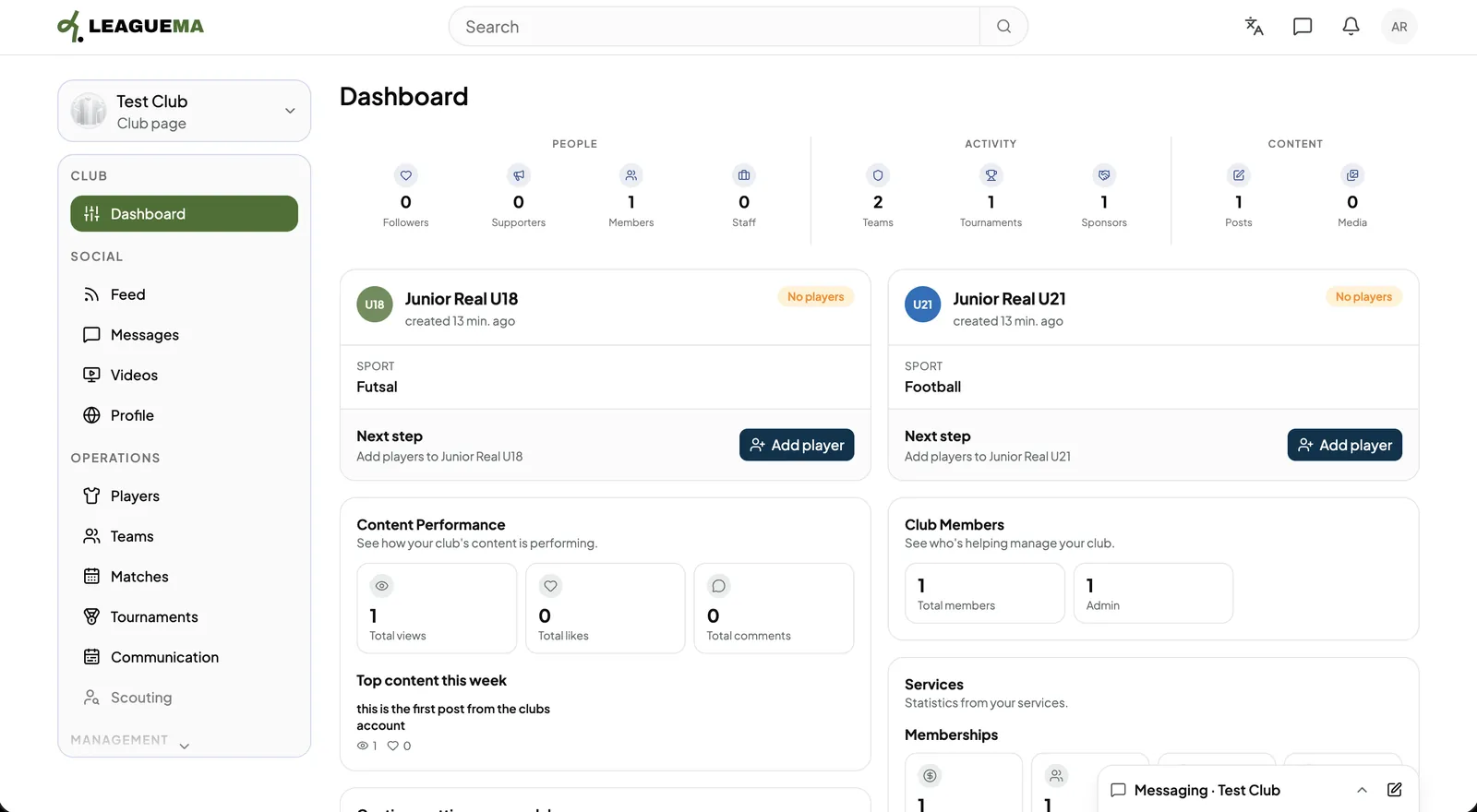
A club page is a separate identity for your club, managed from a personal account. It has its own feed, messages, players, teams, tournaments, services and settings, and everything it posts or sends appears under the club name. You use it to run your club on LeagueMa.
Creating the club
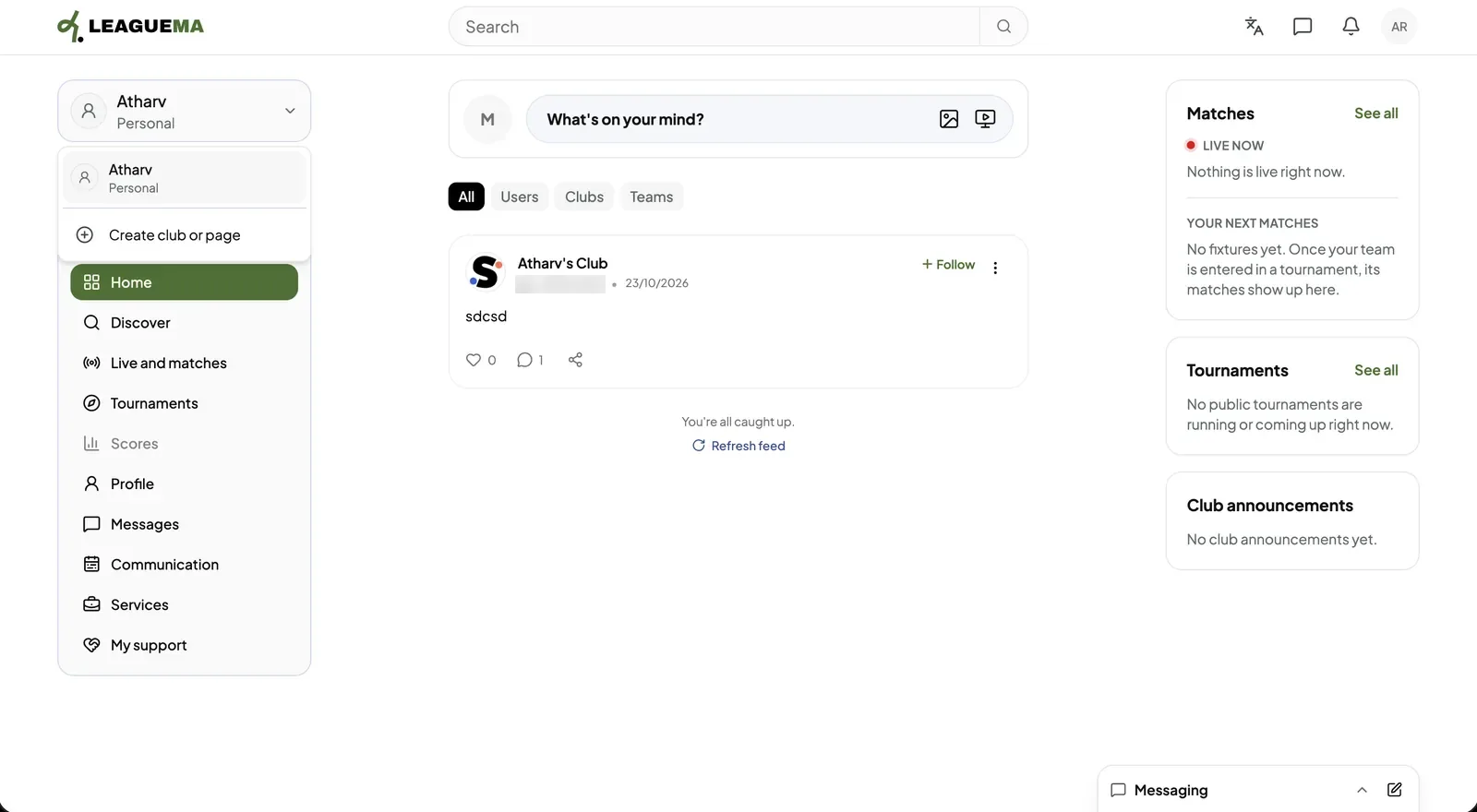
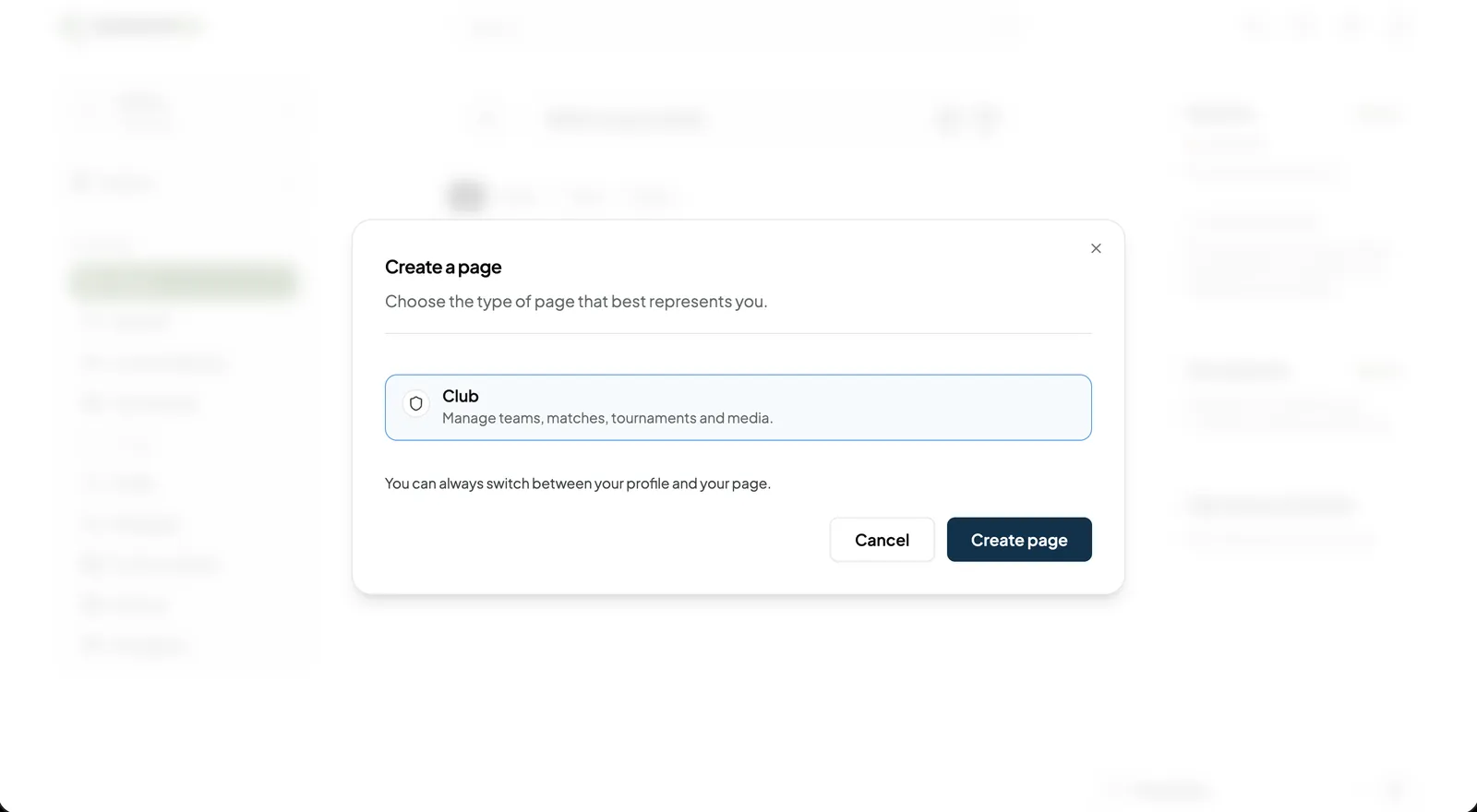
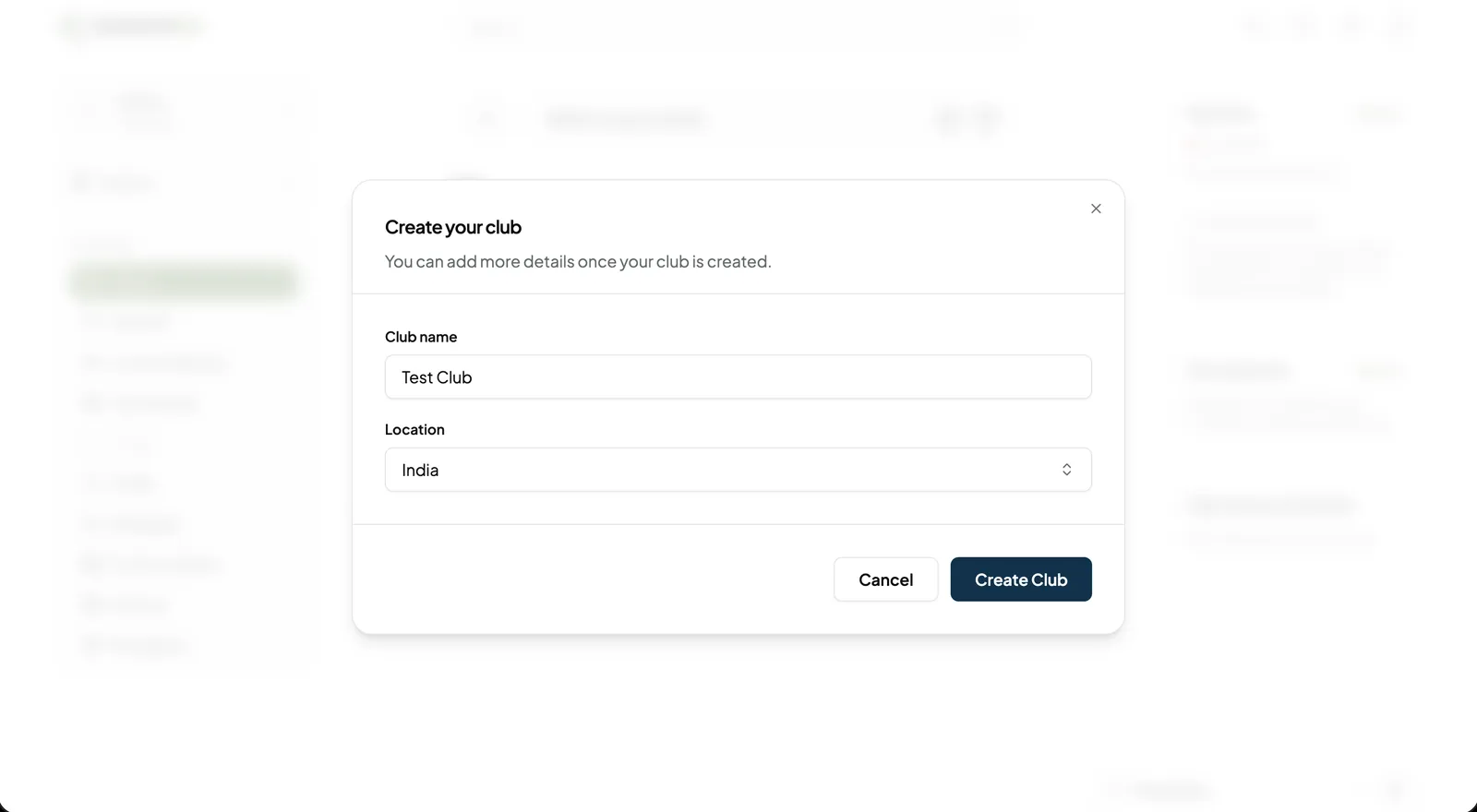
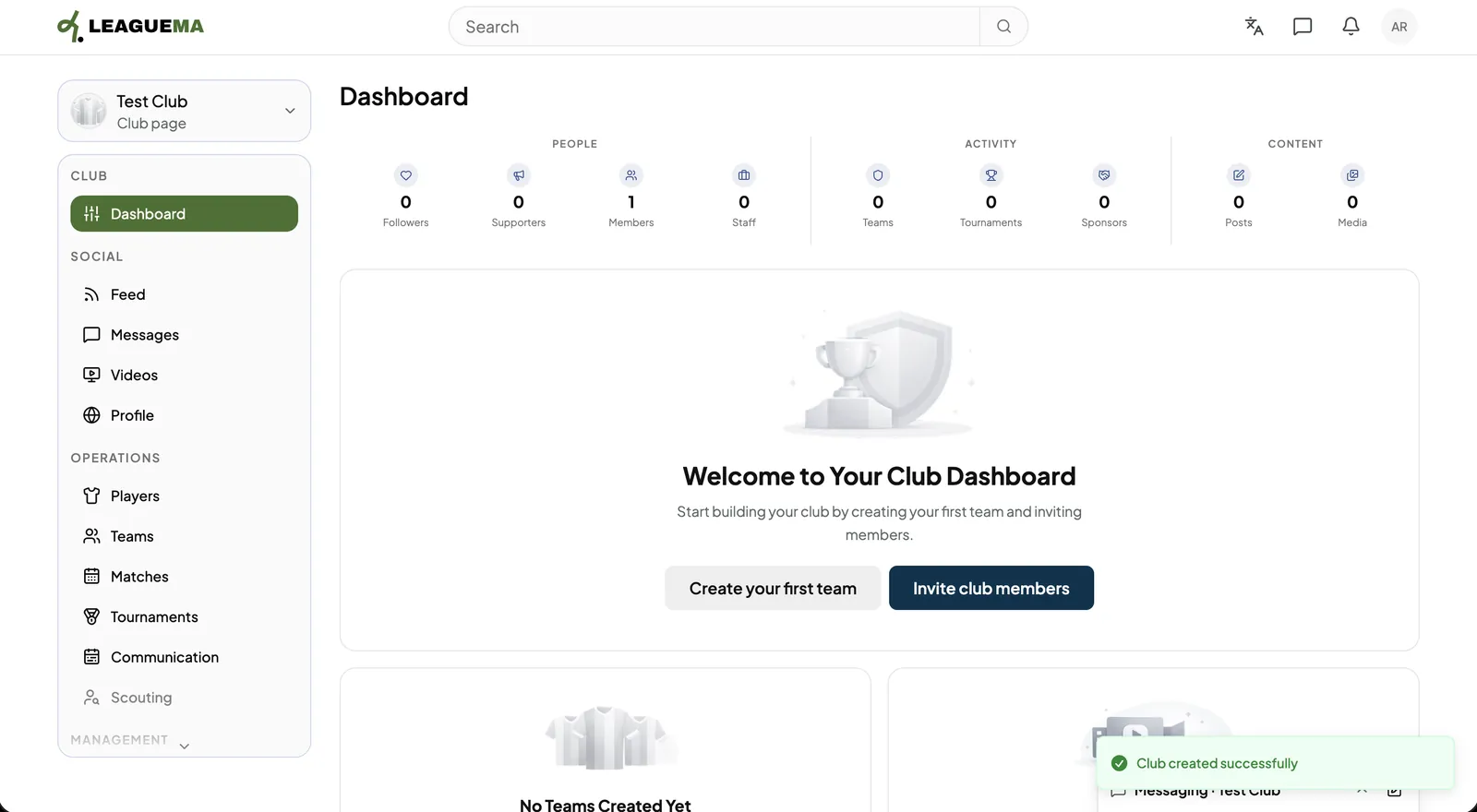
1. Opening the account switcher Select the account name at the top of the sidebar, then click “Create club or page”.2. Selecting the page type In “Create a page”, click “Club” and click “Create page”.3. Entering the club details Enter the “Club name” and “Location”, then click “Create Club”.4. Automatic switch to the club The application switches to the new club and opens its “Dashboard”. The empty dashboard offers “Create your first team” and “Invite club members”.5. Using the dashboard The dashboard counts people, activity and content, and lists the next recommended setup tasks.