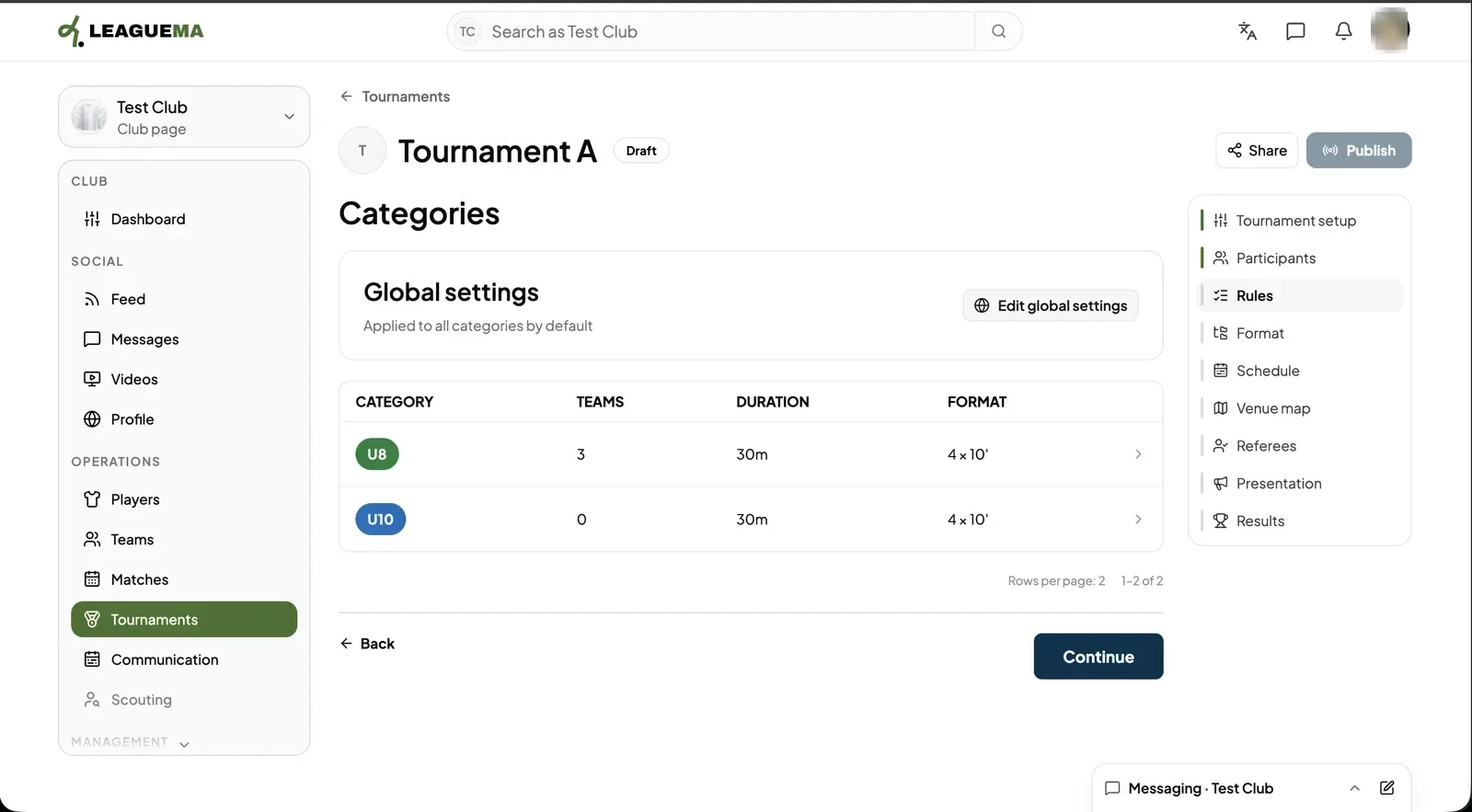
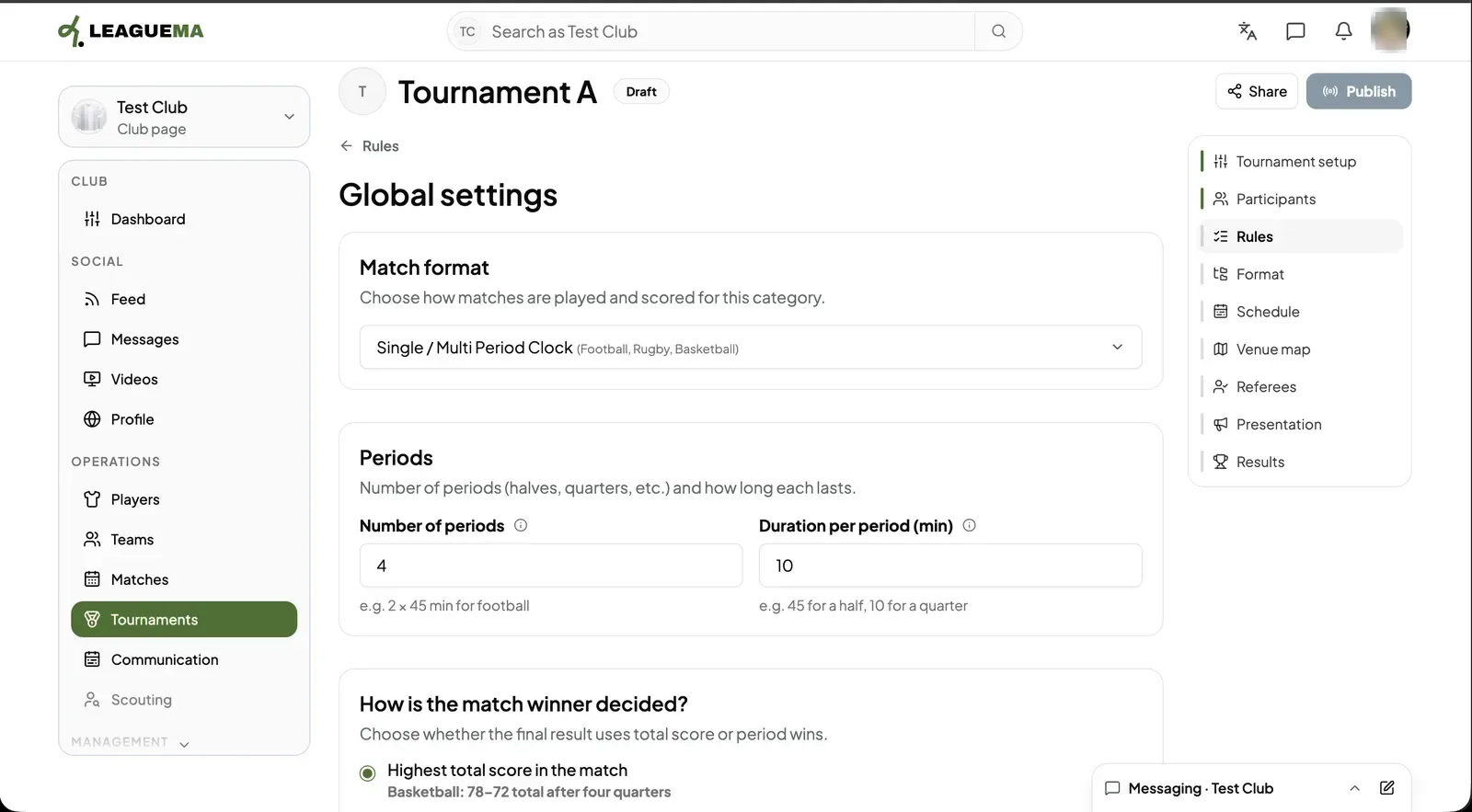
Rules say how a match is played and scored in each category: the match format, the number and length of periods, and how the winner is decided. The format says how teams meet: in groups, in a knockout bracket, in single matches, or in a mix of them. You use these two pages so LeagueMa knows which matches to create before you build the schedule.
Rules
1. Reviewing the categories Click “Rules”. The “Categories” table lists each category with its teams, match duration and format. Click a row to change one category, or “Edit global settings” to change the defaults for all of them.2. Editing the global settings Choose the “Match format”, then set the “Number of periods” and the “Duration per period (min)”. Under “How is the match winner decided?” choose whether the total score or the periods won decide the result.
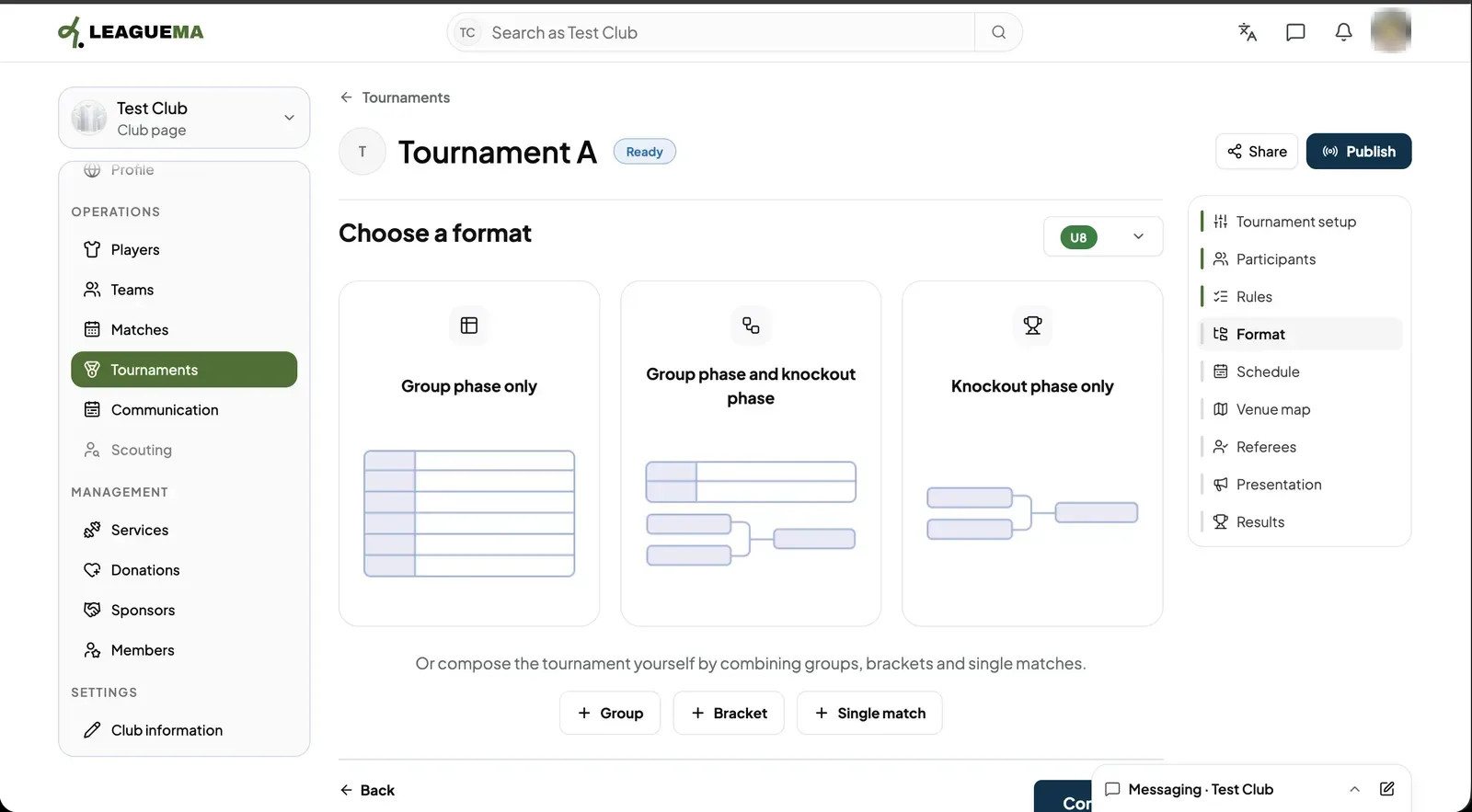
Format
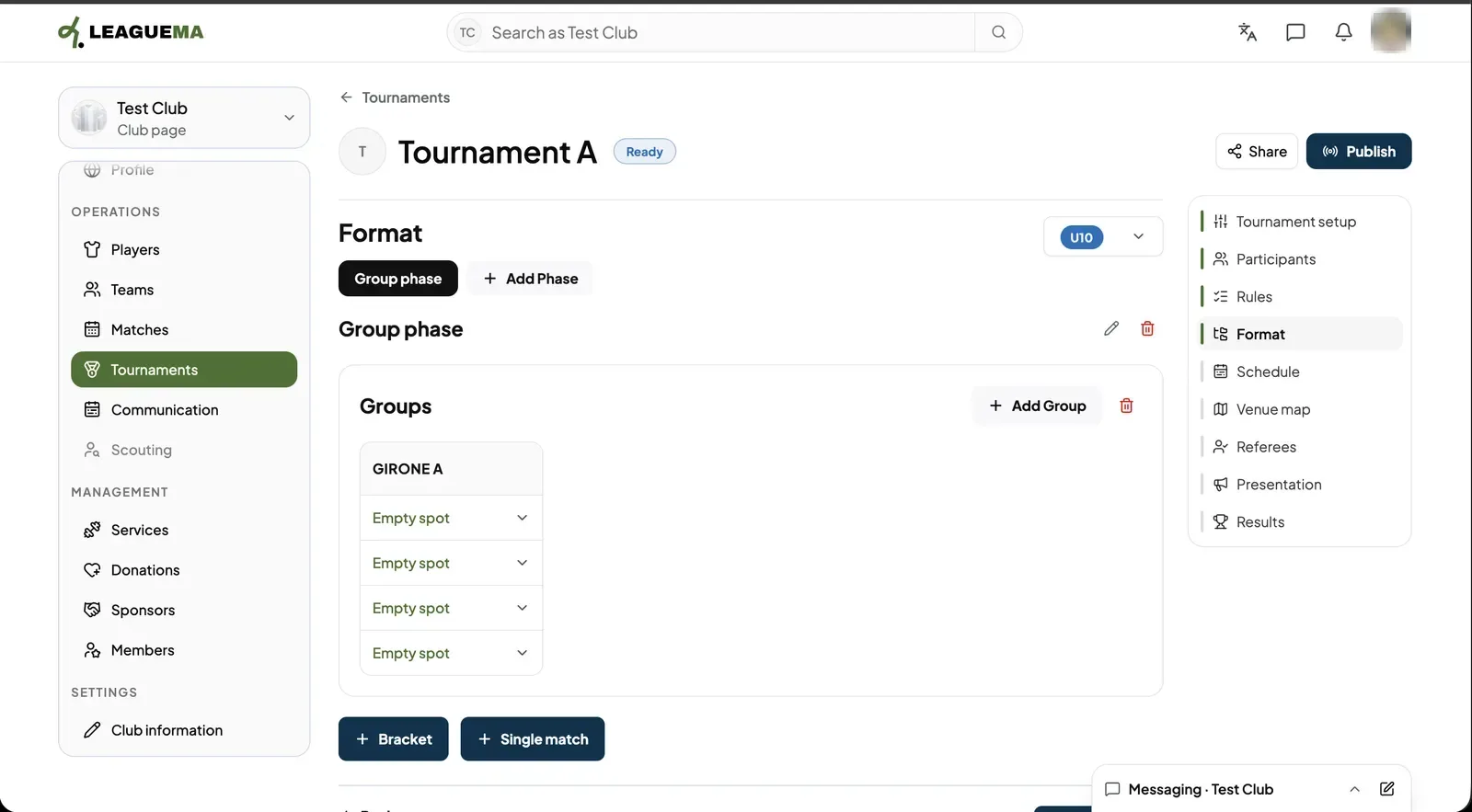
1. Choosing a format Click “Format” and pick the category in the selector. Choose “Group phase only”, “Group phase and knockout phase” or “Knockout phase only”, or build it yourself with “Group”, “Bracket” and “Single match”.
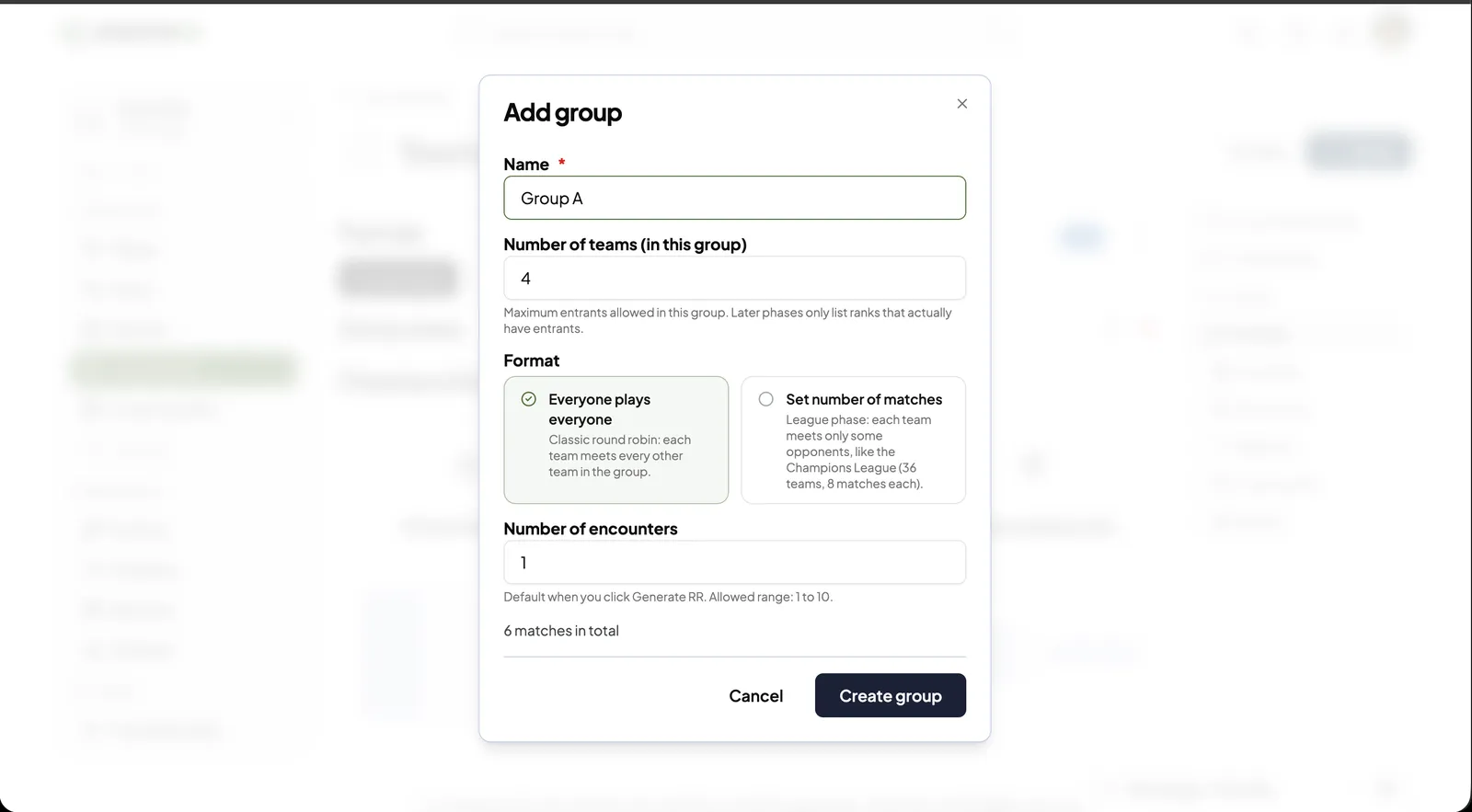
Groups
1. Adding a group Enter the group “Name” and the “Number of teams (in this group)”. Choose “Everyone plays everyone” or “Set number of matches”, set the “Number of encounters” (1 to 10) and click “Create group”. The dialog shows the total number of matches.2. Filling the group The group appears with one “Empty spot” per team. Pick a team in each spot. “Add Group” adds another group; “Add Phase” adds a phase after this one.
Brackets
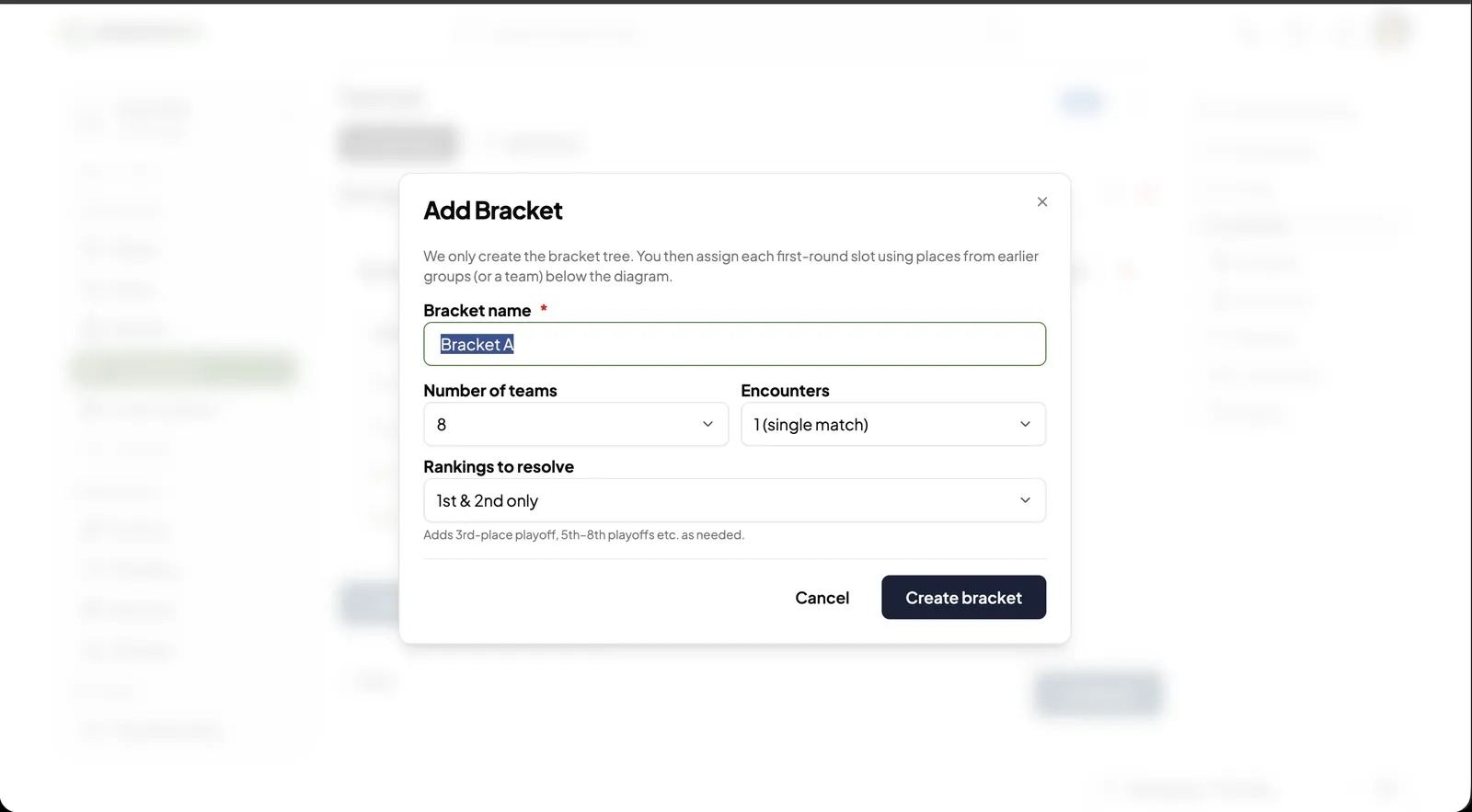
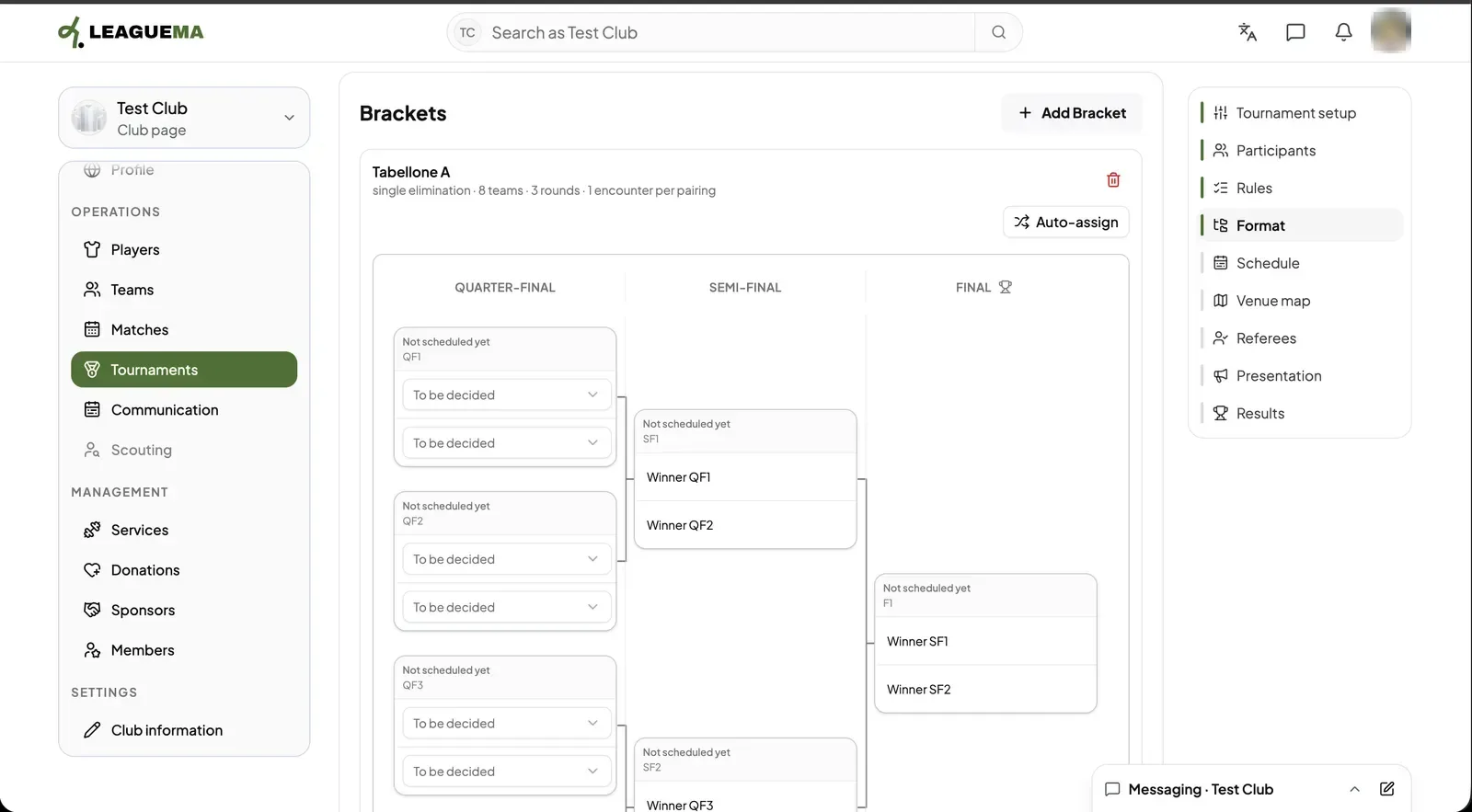
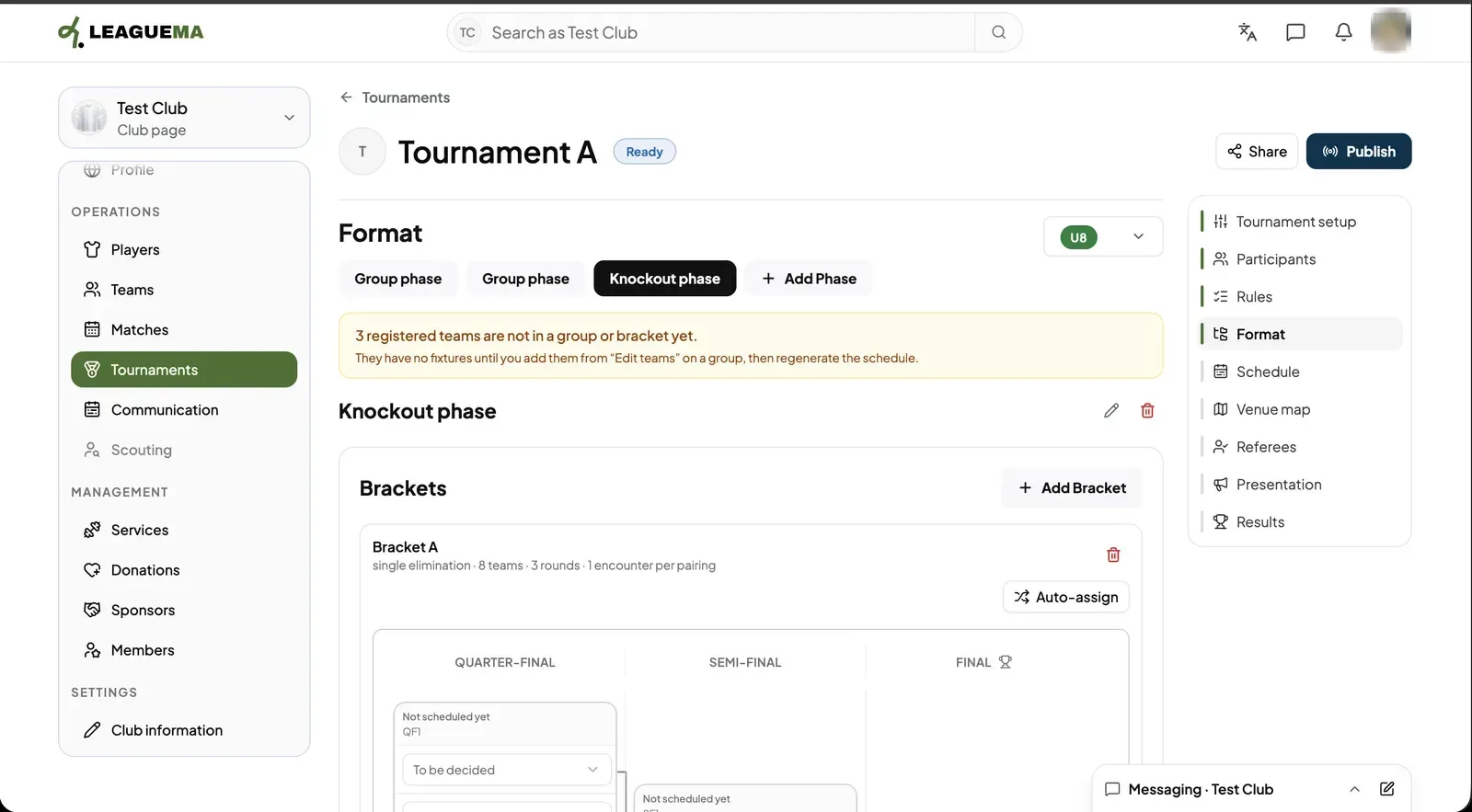
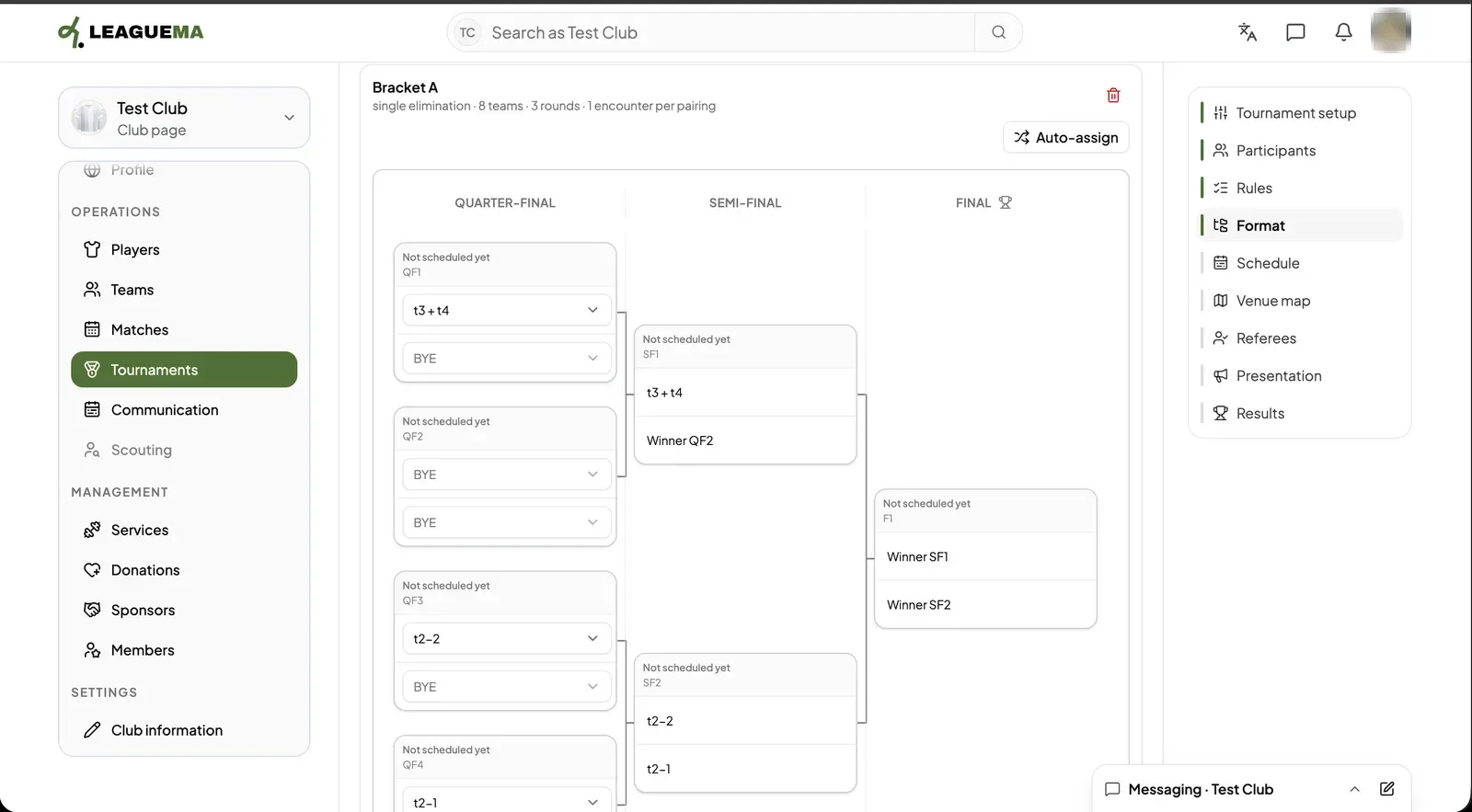
1. Adding a bracket Click “Bracket”. Enter the “Bracket name”, the “Number of teams”, the “Encounters” and the “Rankings to resolve” (for example 1st and 2nd only, or extra play-offs for 3rd place and below). Click “Create bracket”.2. Reviewing the bracket LeagueMa draws the bracket tree from the quarter-finals to the final. Every first-round slot shows “To be decided” until you fill it.3. Teams not yet placed A yellow notice lists registered teams that are not in any group or bracket. They get no matches until you place them and generate the schedule again.4. Filling the bracket automatically Click “Auto-assign”. LeagueMa fills every first-round slot from the teams or earlier placings and adds a BYE where the number of teams needs one.