Club members are the people who help run the club. Each has a role, such as Admin, Coach, Team Manager, Finance Manager or Community Manager, which sets what they may do. You use this page to invite them and choose their roles.
Inviting staff
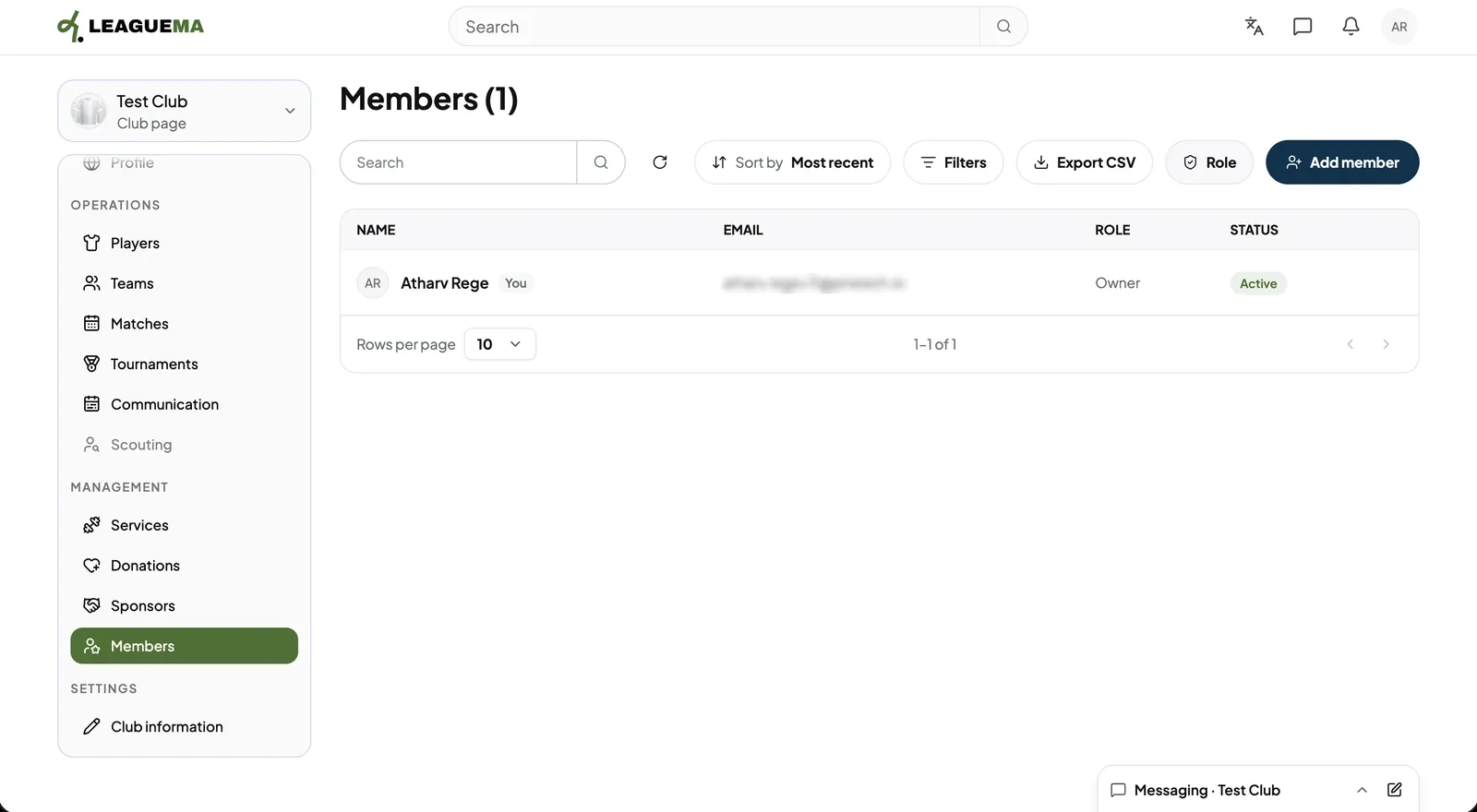
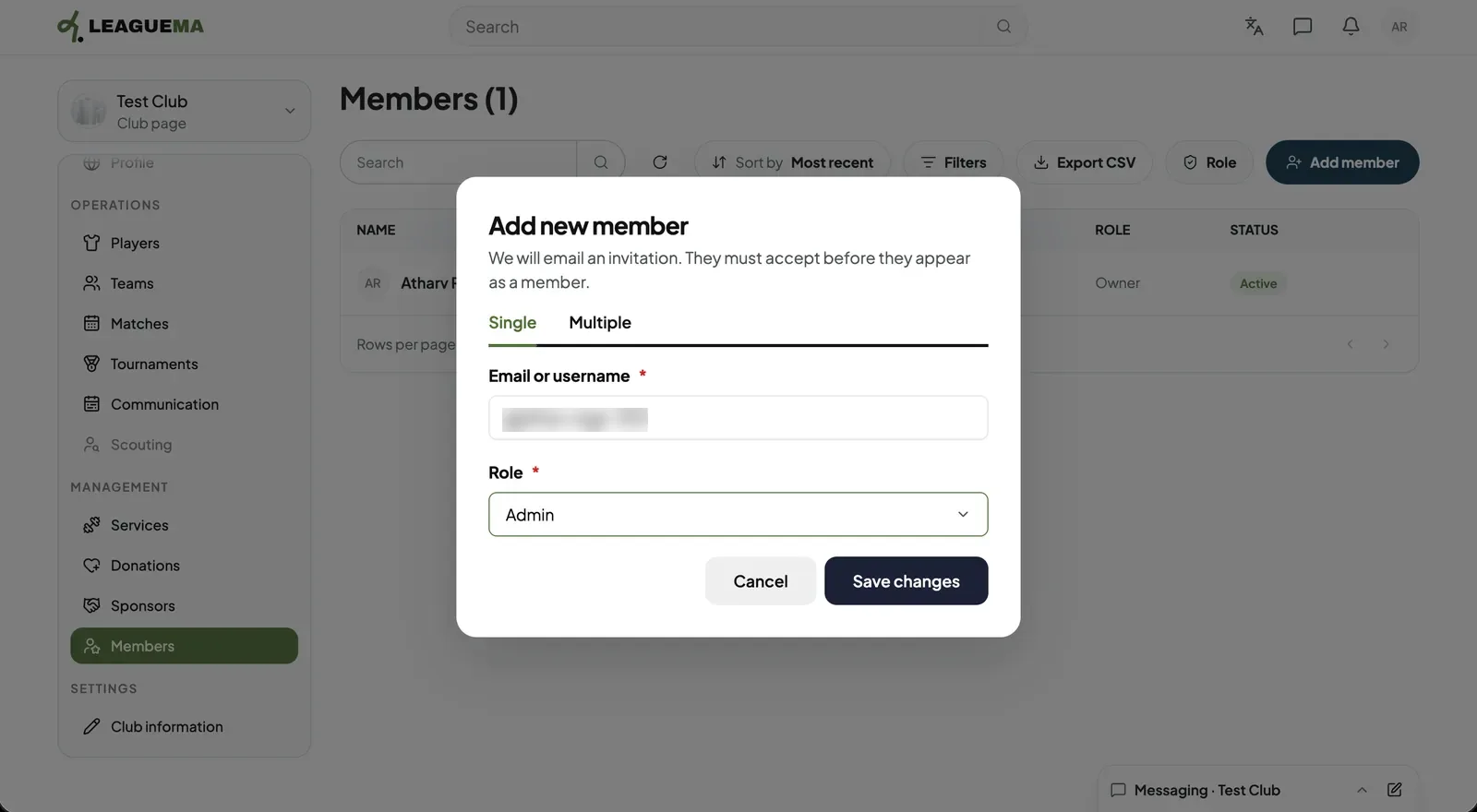
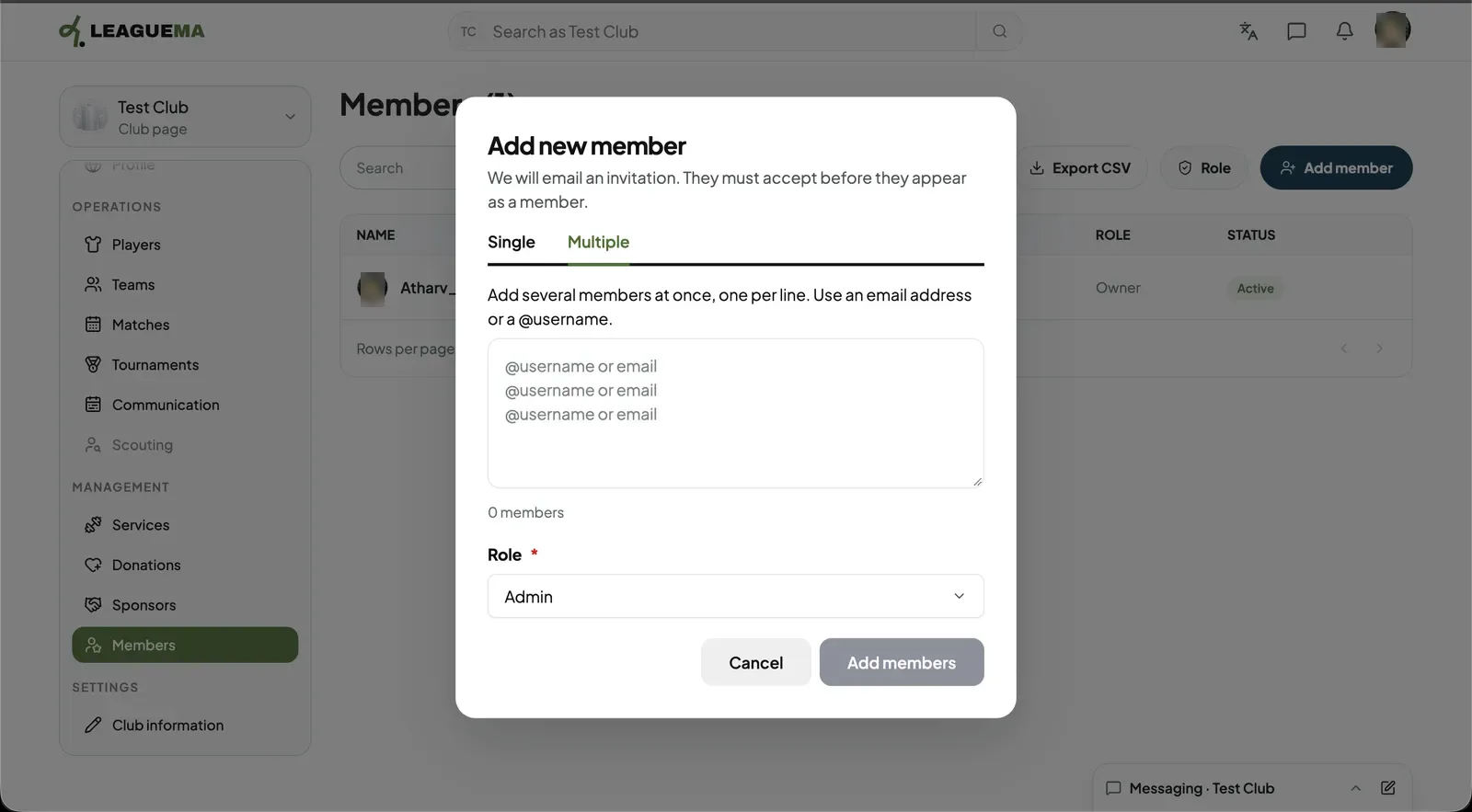
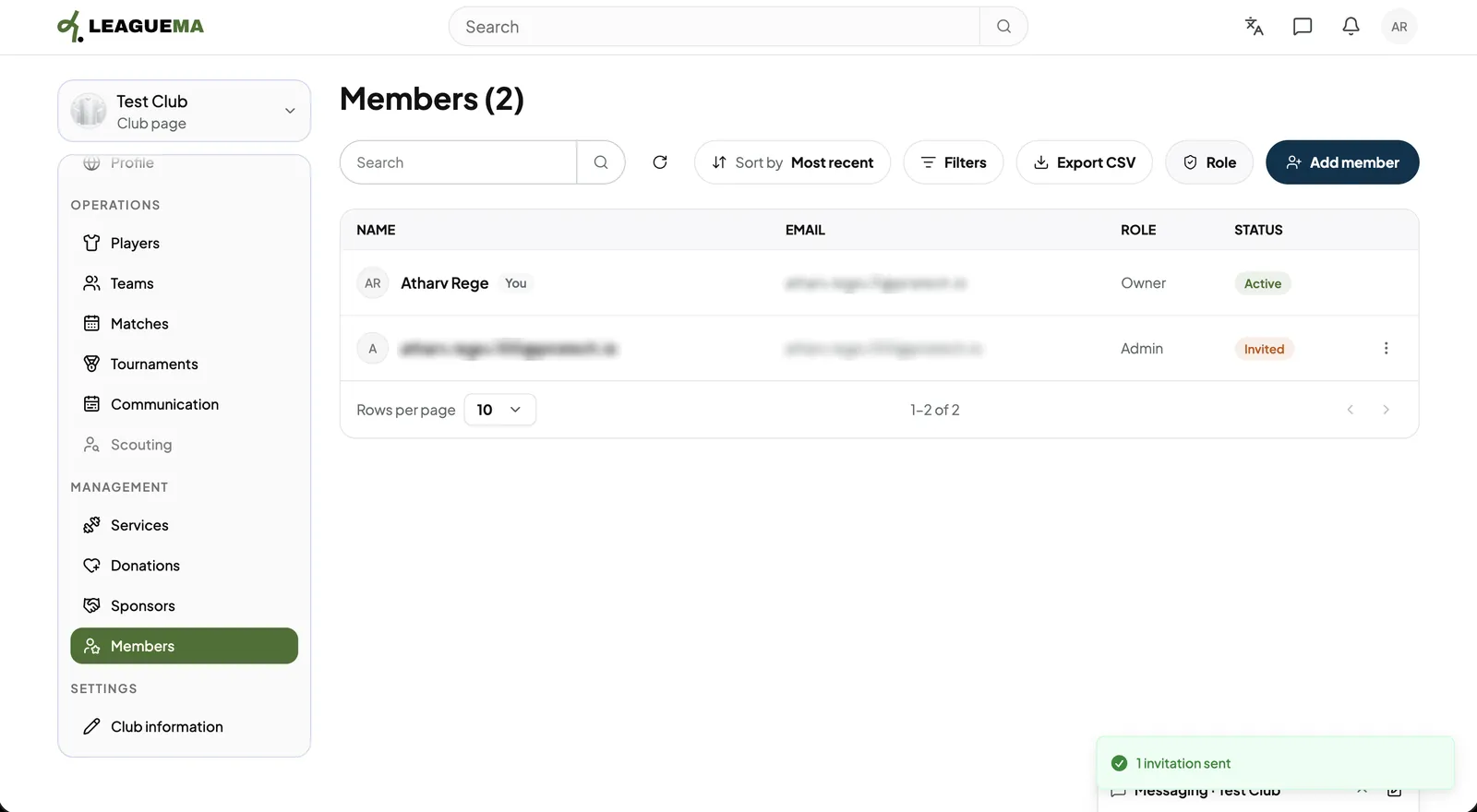
1. Opening Members Click “Members” under “Management” and click “Add member”.2. Entering the person and role On the “Single” tab, enter an email or @username and choose the “Role”. An email invitation is sent; the person appears as a member after accepting.3. Inviting several people On the “Multiple” tab, enter one email or @username per line and choose one role for all.4. Result The members list shows each person with role and status.