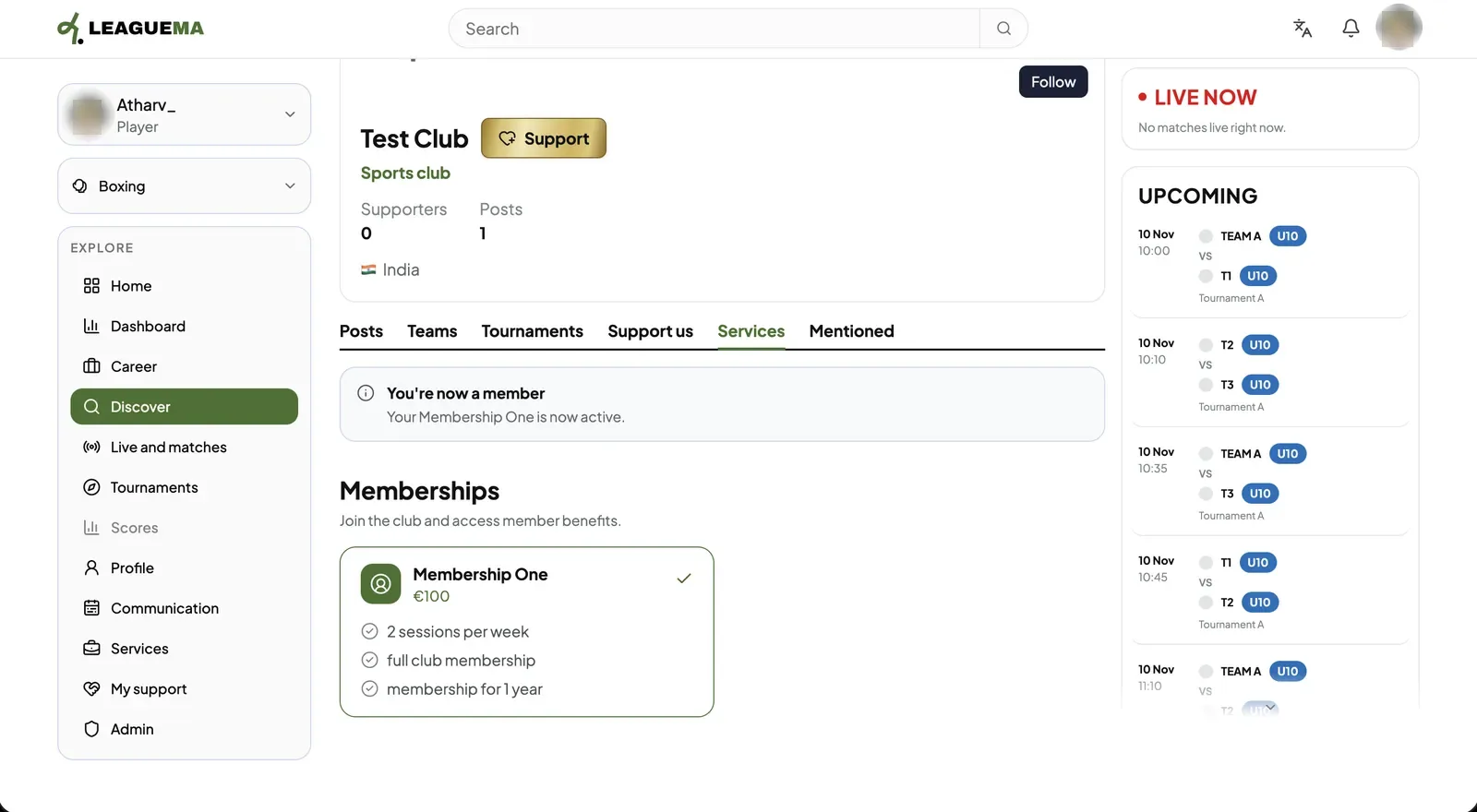
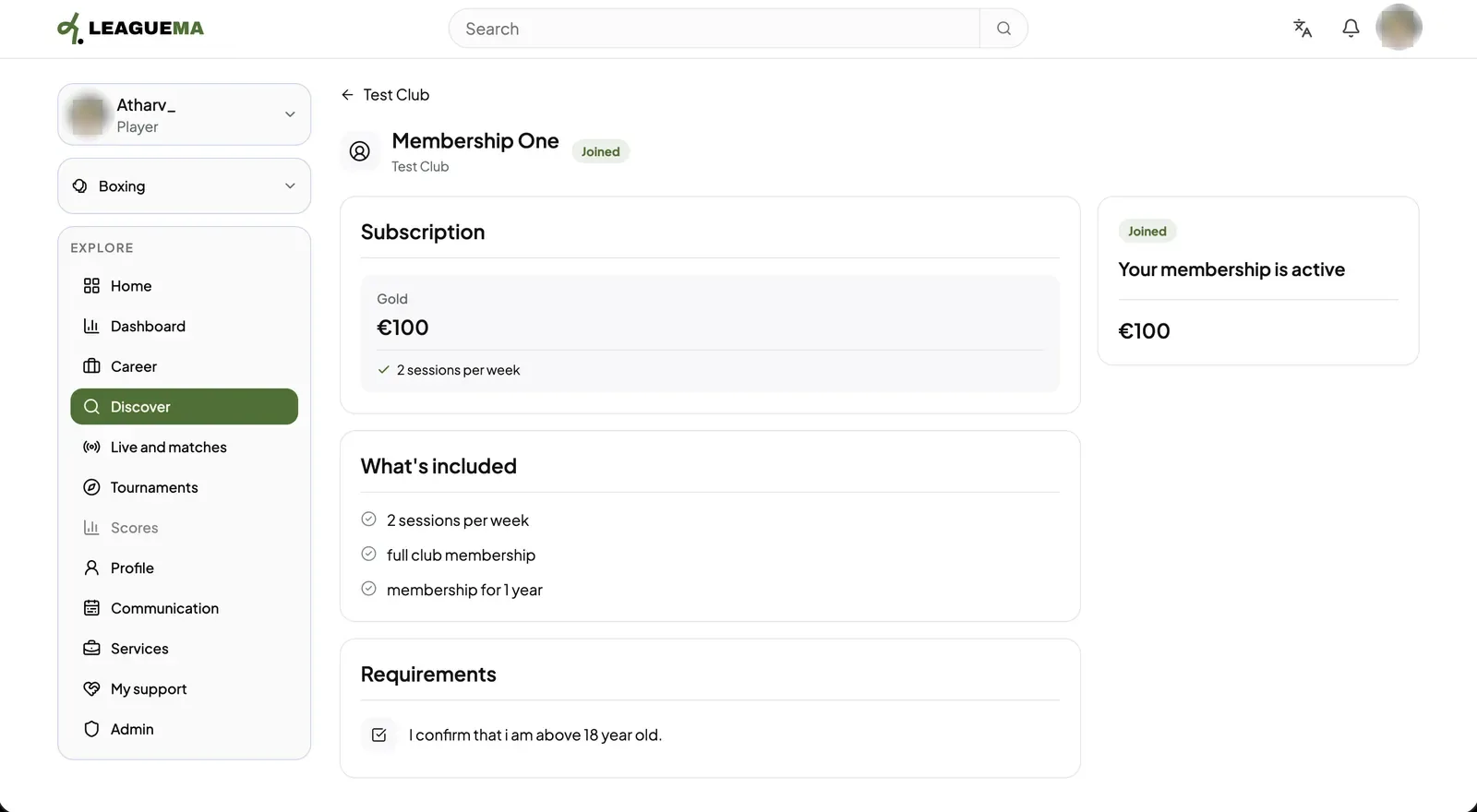
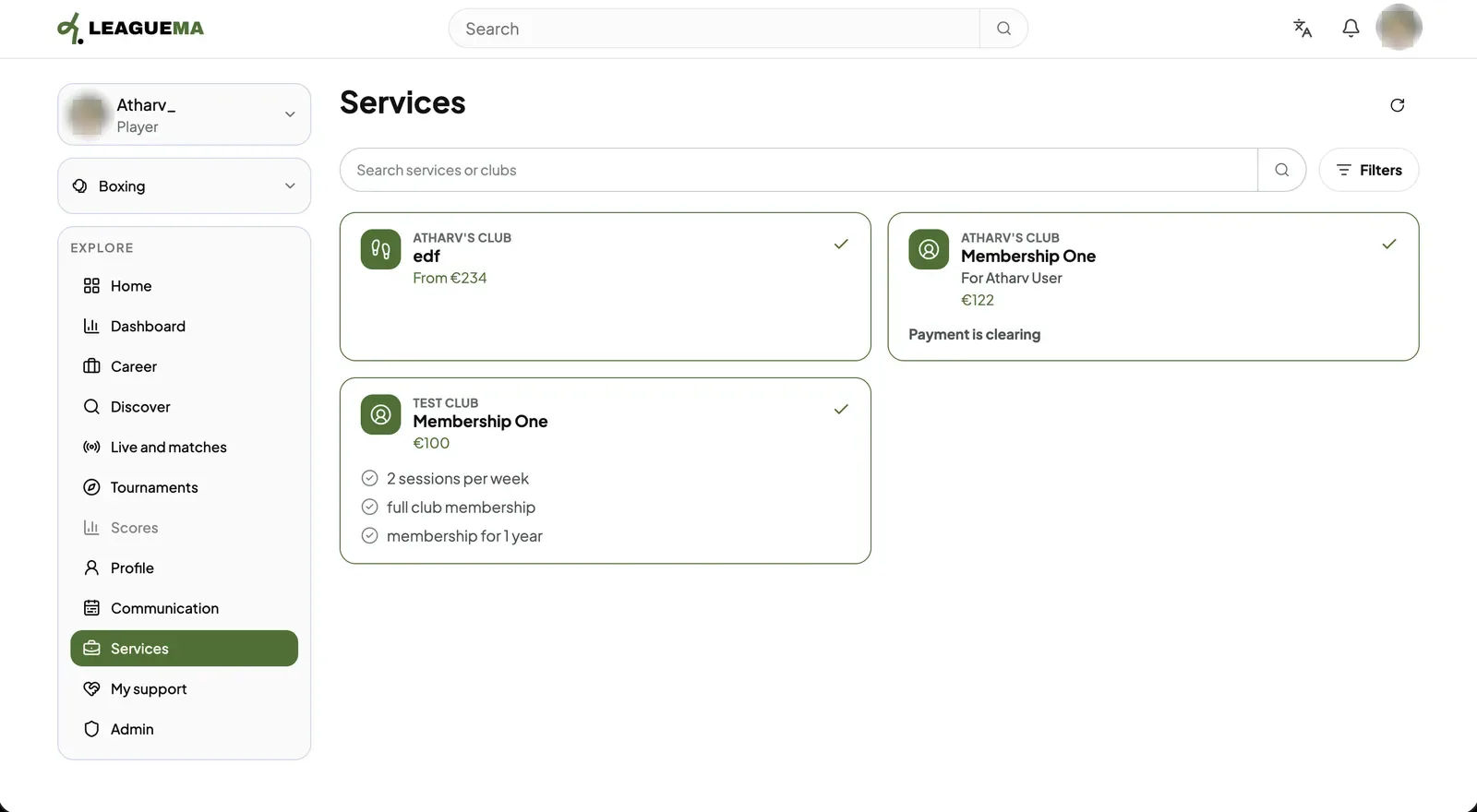
A club service is something a club offers its members: a membership (ongoing access to the club) or an activity (a course, session or event). You use it to join a club. Joining enrols you, collects any requirements the club has set and, if the service has a price, takes the payment.
Joining a service
1. Selecting a service On the club page, open the “Services” tab and select a membership or activity to view its price, inclusions and requirements.2. Completing the requirements Click “Join membership” or “Join activity”. Then, complete each requirement shown, such as a confirmation, a choice, a short answer or a document.3. Pay and confirm For a paid service, click “Pay to join”. The application opens a secure Stripe checkout and returns to the service page afterwards. The page then confirms “You're now a member”.4. Reviewing joined services Click “Services” in the sidebar to list every service joined, with its status.