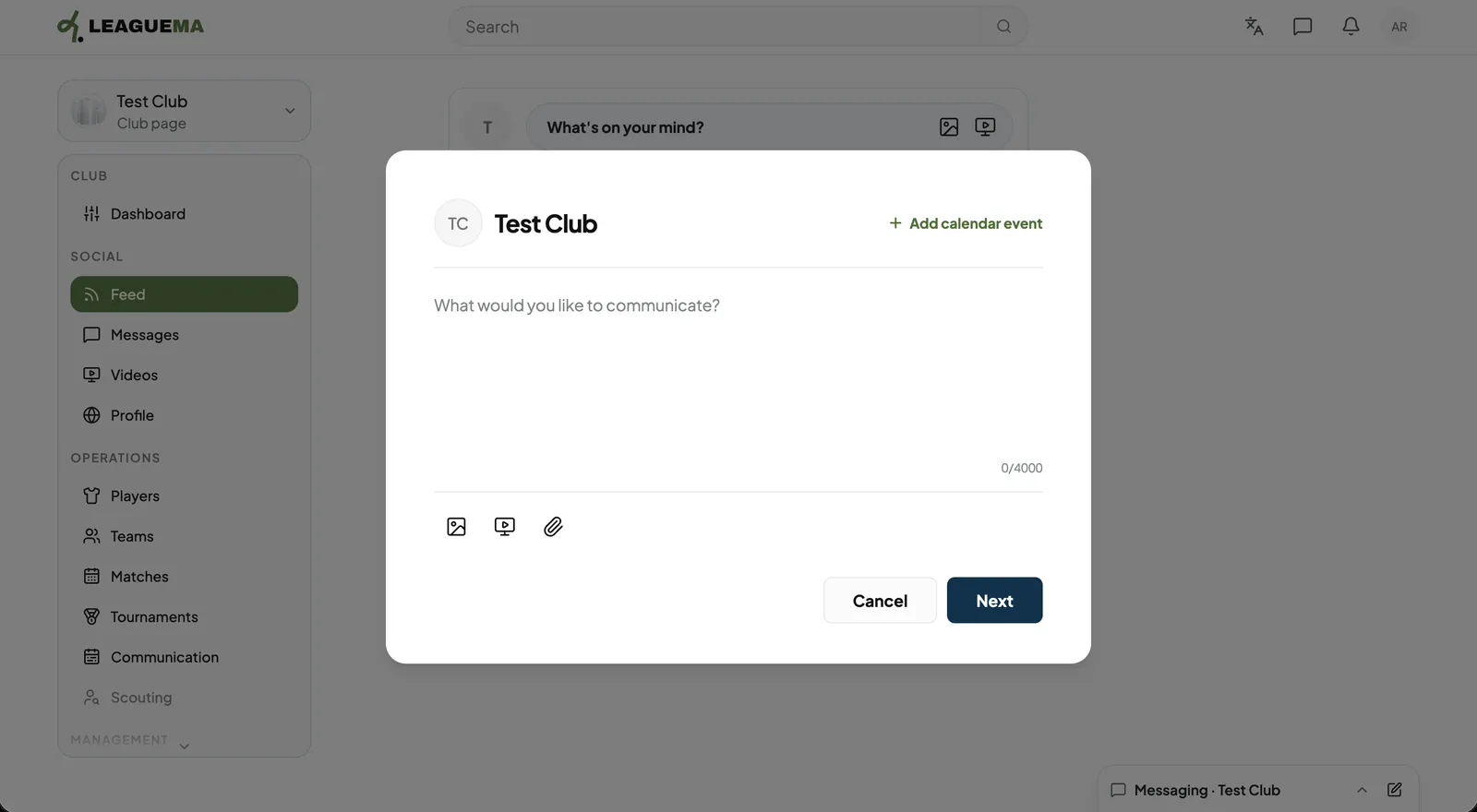
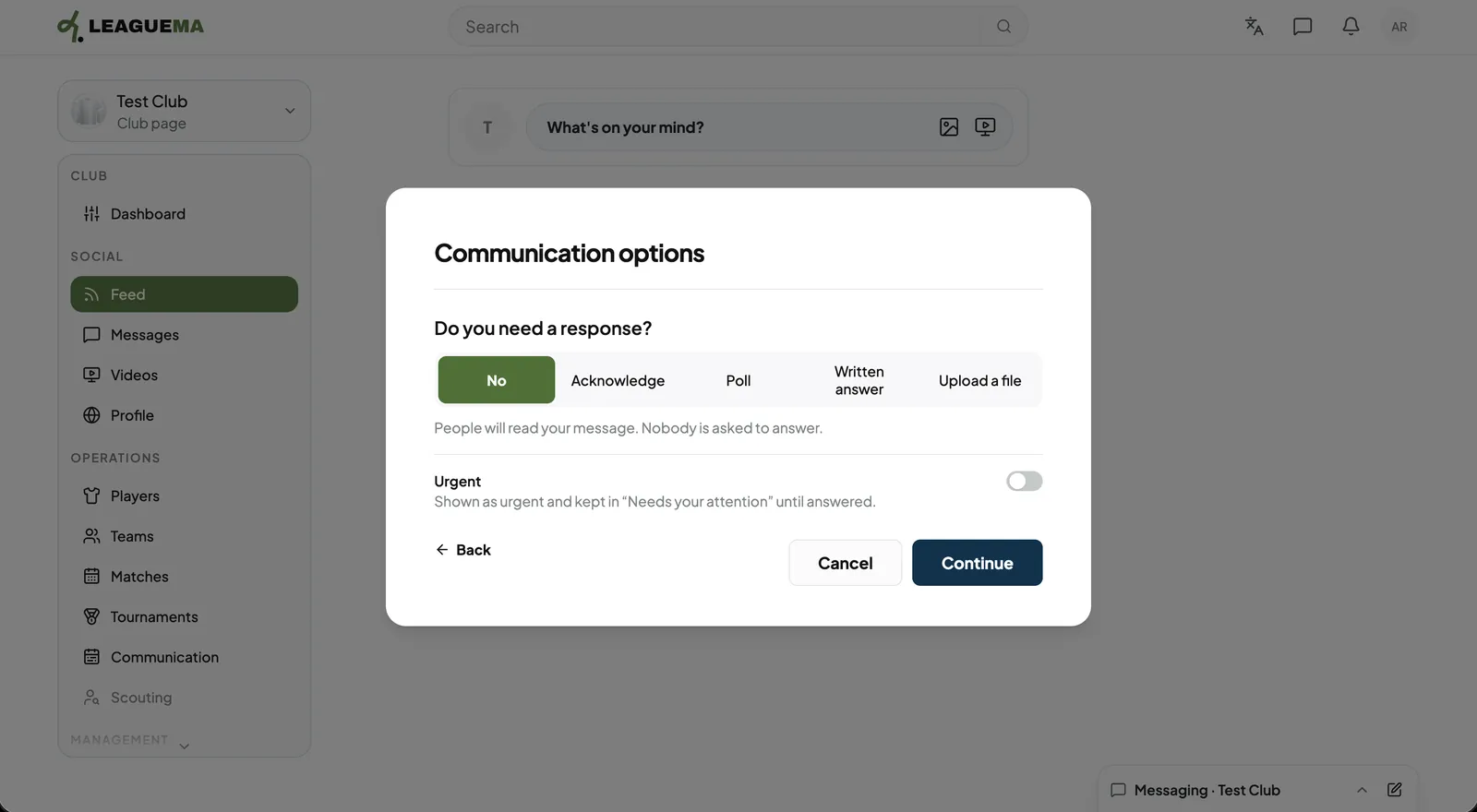
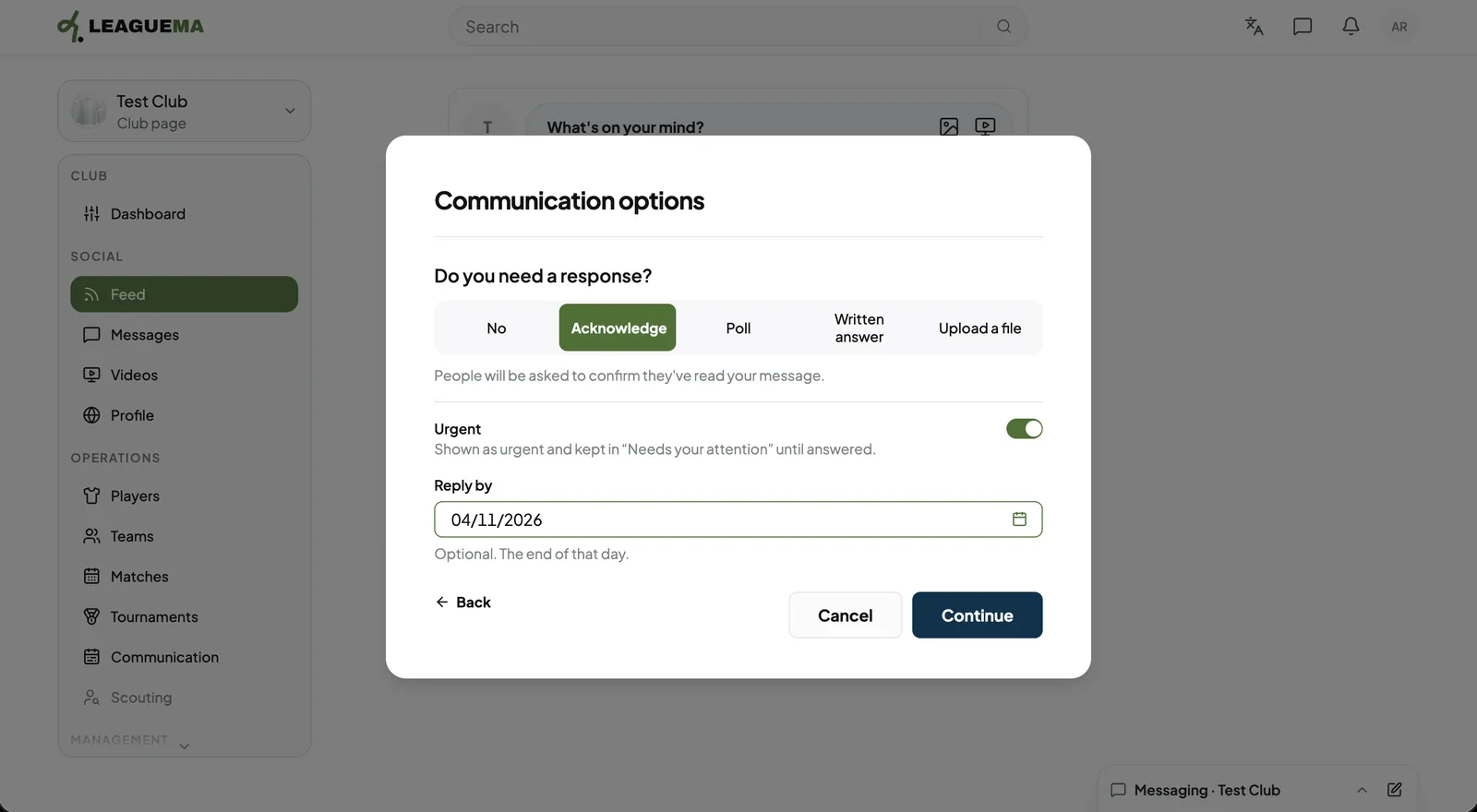
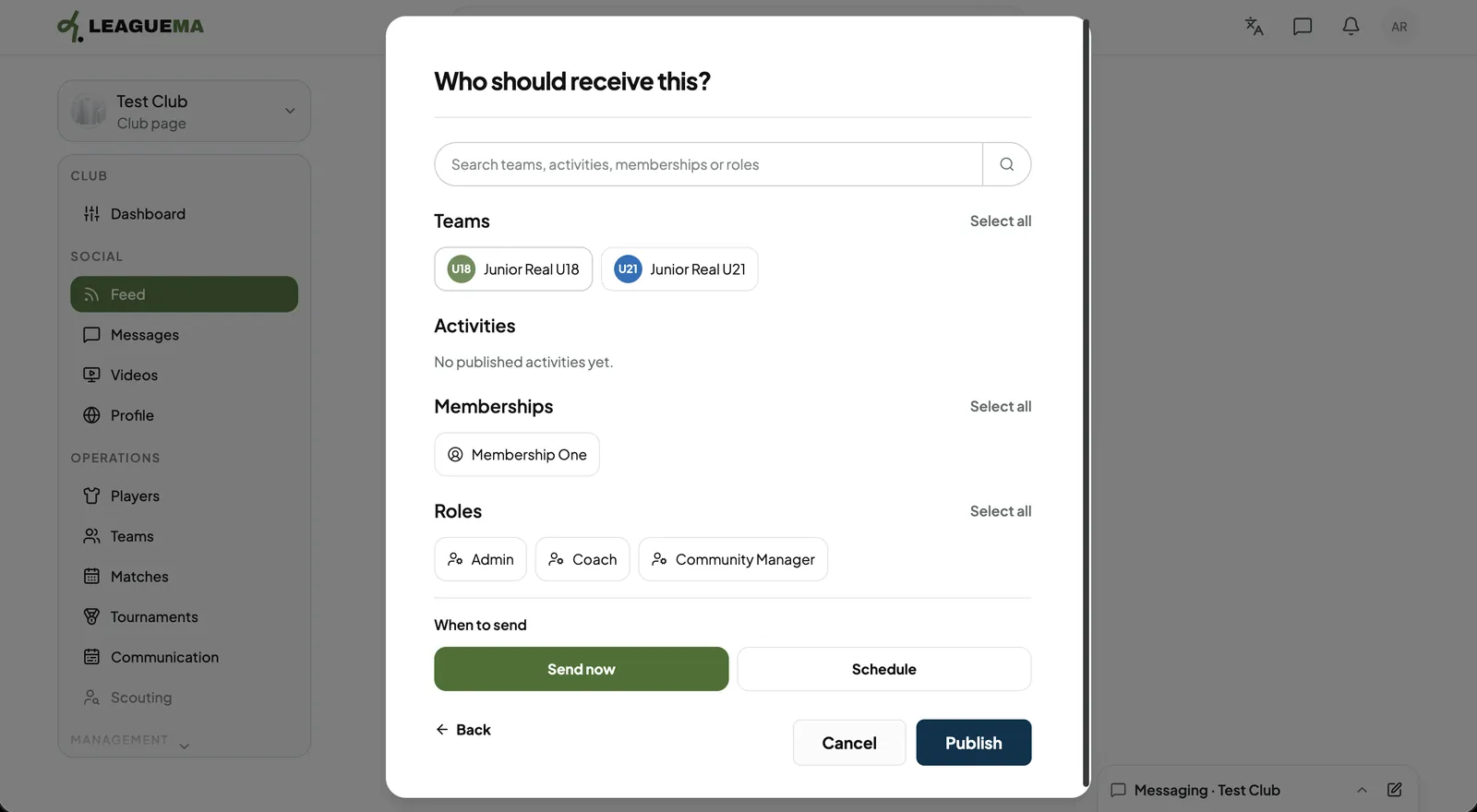
A communication is a message from the club to chosen teams, activities, memberships or roles. You use it to inform people and collect answers: it can ask for an acknowledgement, a vote, a written answer or a file, and can carry calendar events.
Sending a communication
1. Writing the message From the club feed, open the composer and choose a communication. Enter the text, attach files or click “Add calendar event”, then click “Next”.2. Choosing the response type Under “Do you need a response?”, click “No”, “Acknowledge”, “Poll”, “Written answer” or “Upload a file”.3. Setting urgency and deadline Switch on “Urgent” to place it in each recipient's attention list, and set “Reply by” if needed. Then, click “Continue”.4. Choosing recipients and send Under “Who should receive this?”, select teams, activities, memberships and roles. Choose “Send now” or “Schedule”, then click “Publish”.