Player onboarding is the profile of how you play each sport, such as your position and level. You use it so clubs, teams and tournaments can find you. Completing it turns on the player area: Dashboard and Career.
Player onboarding process
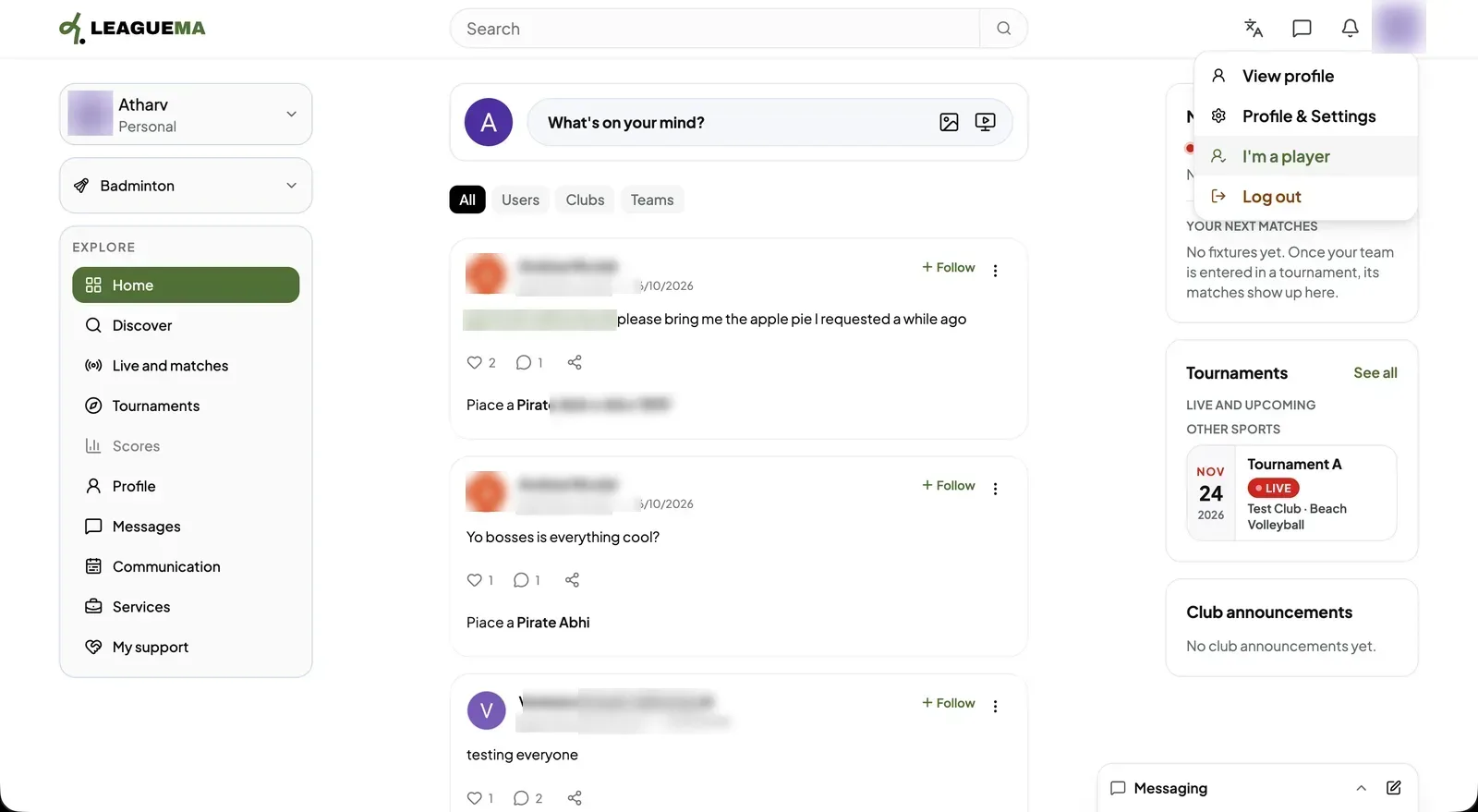
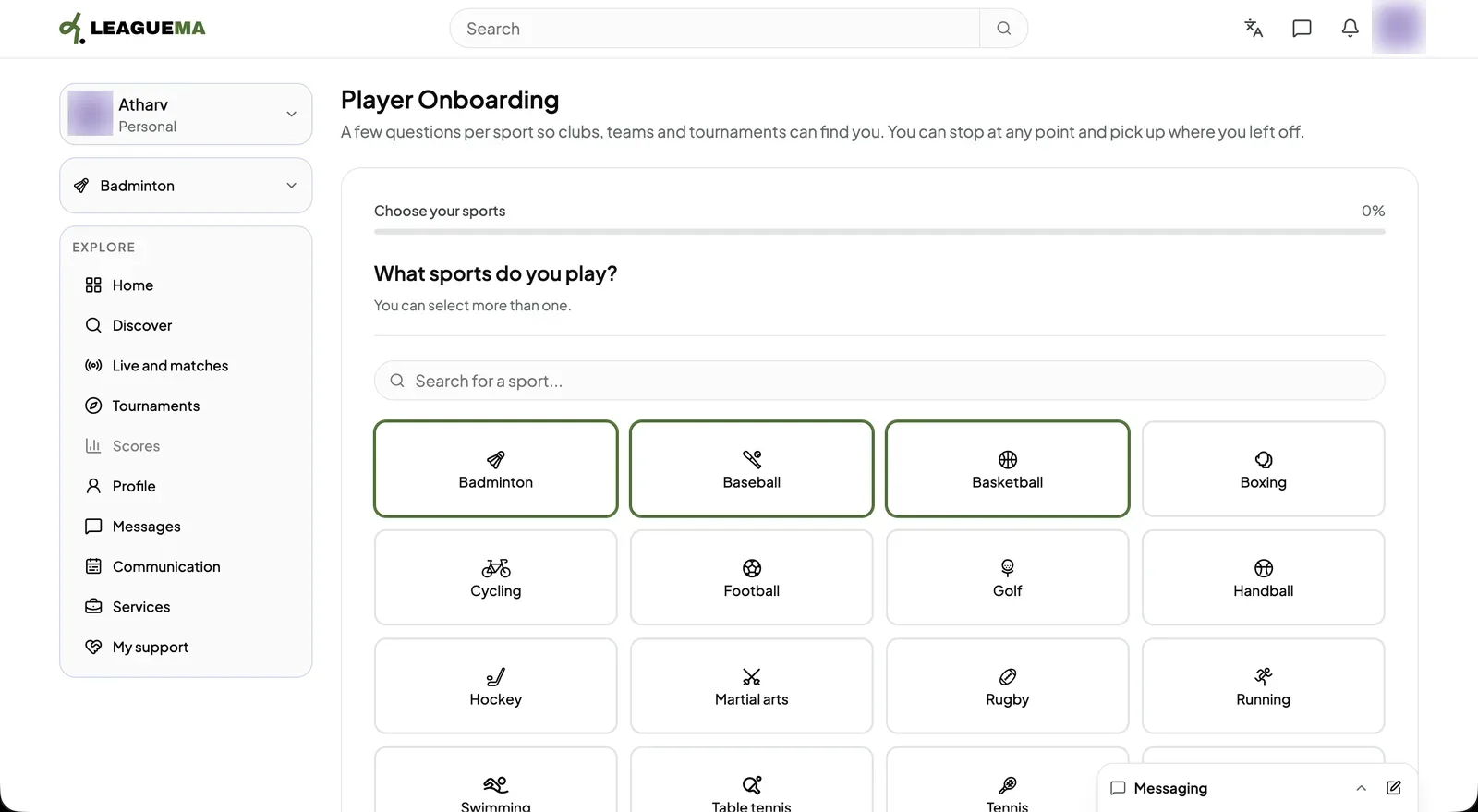
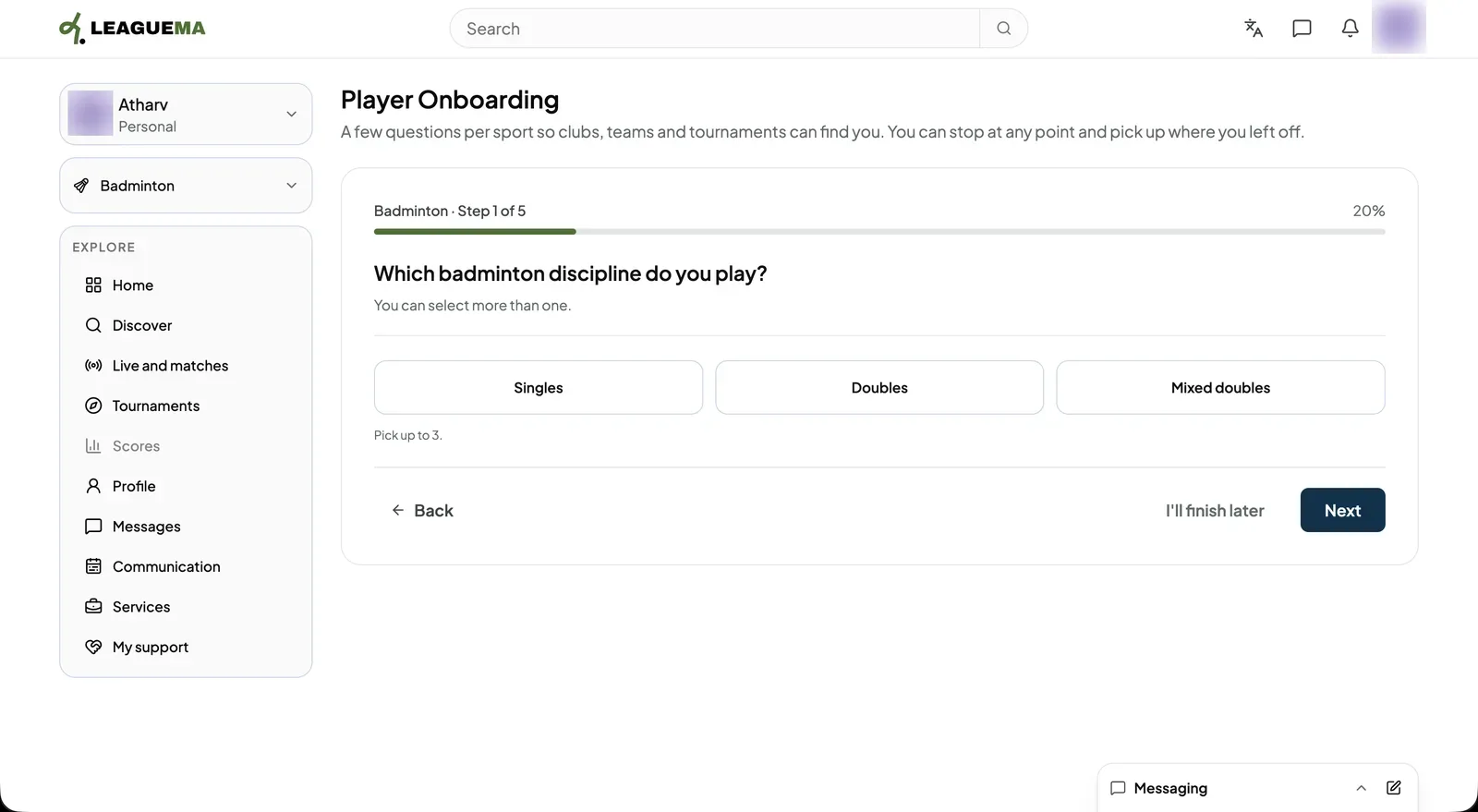
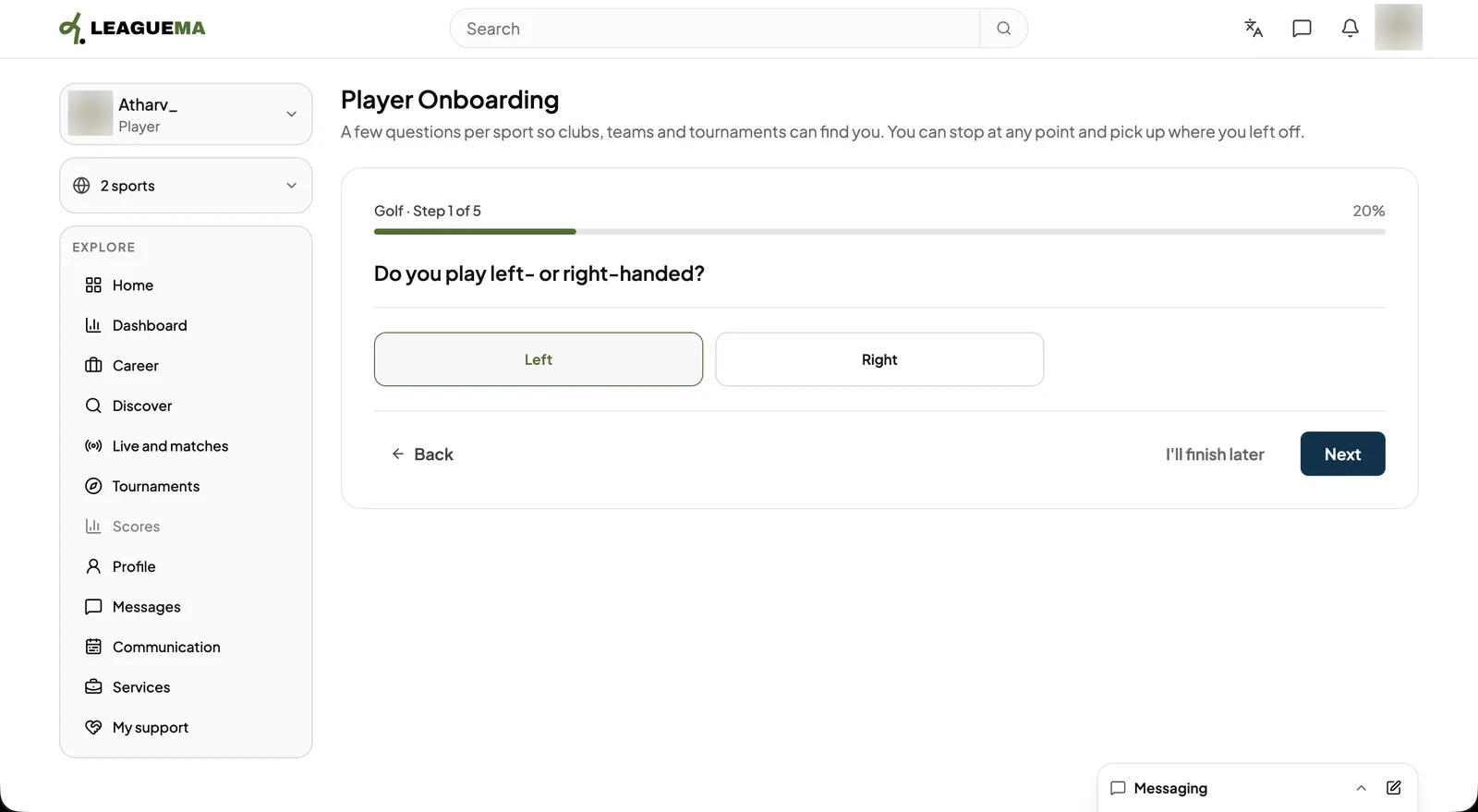
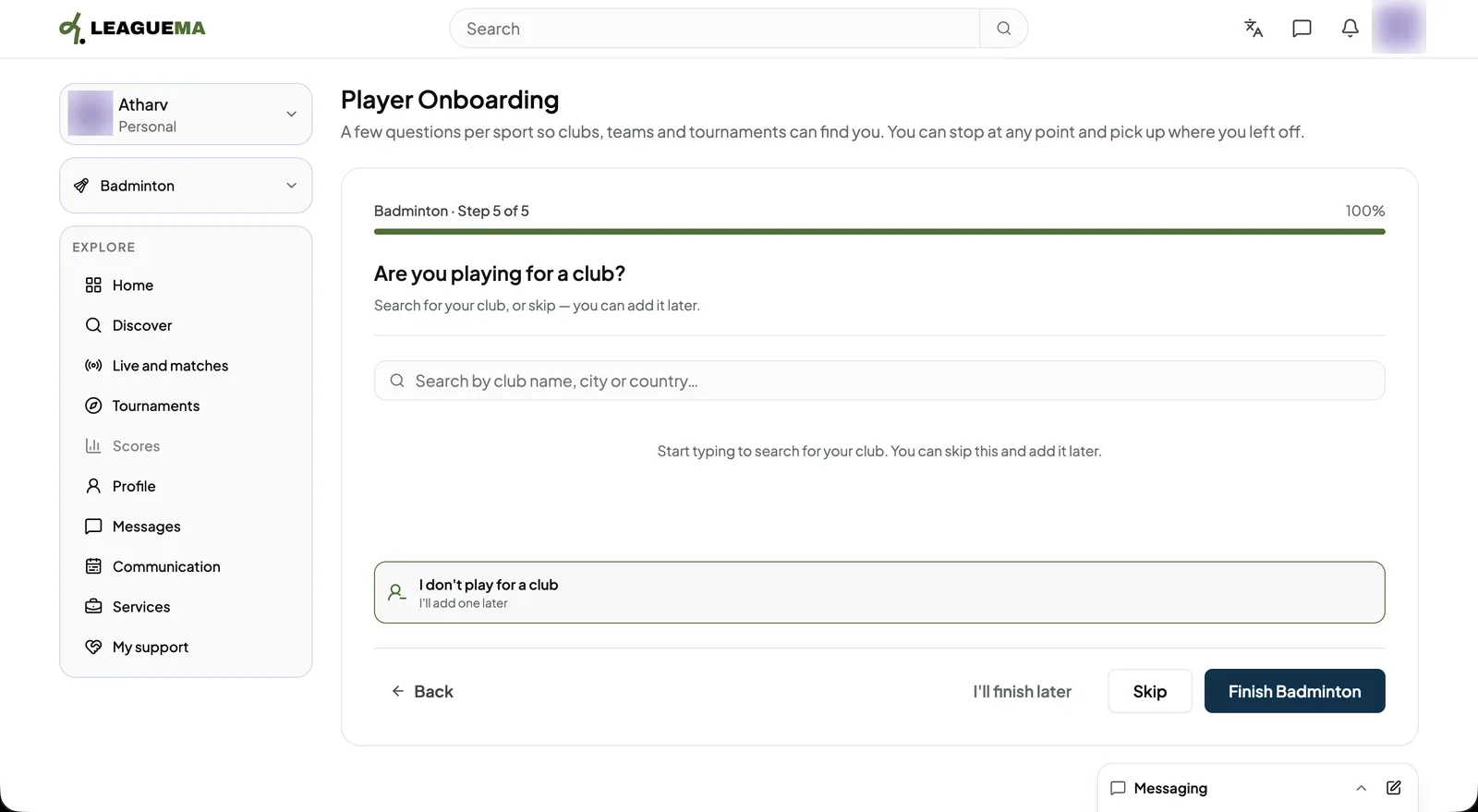
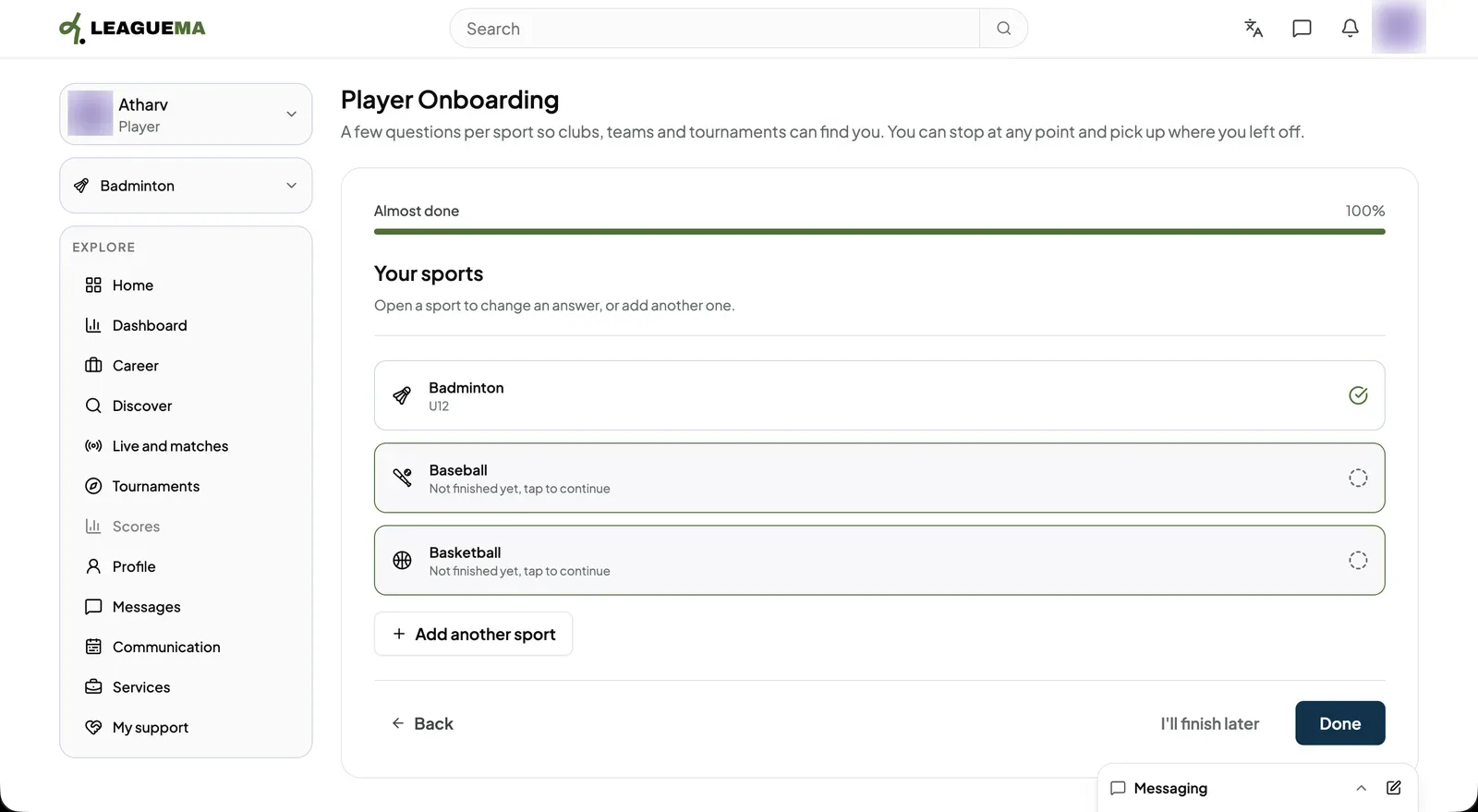
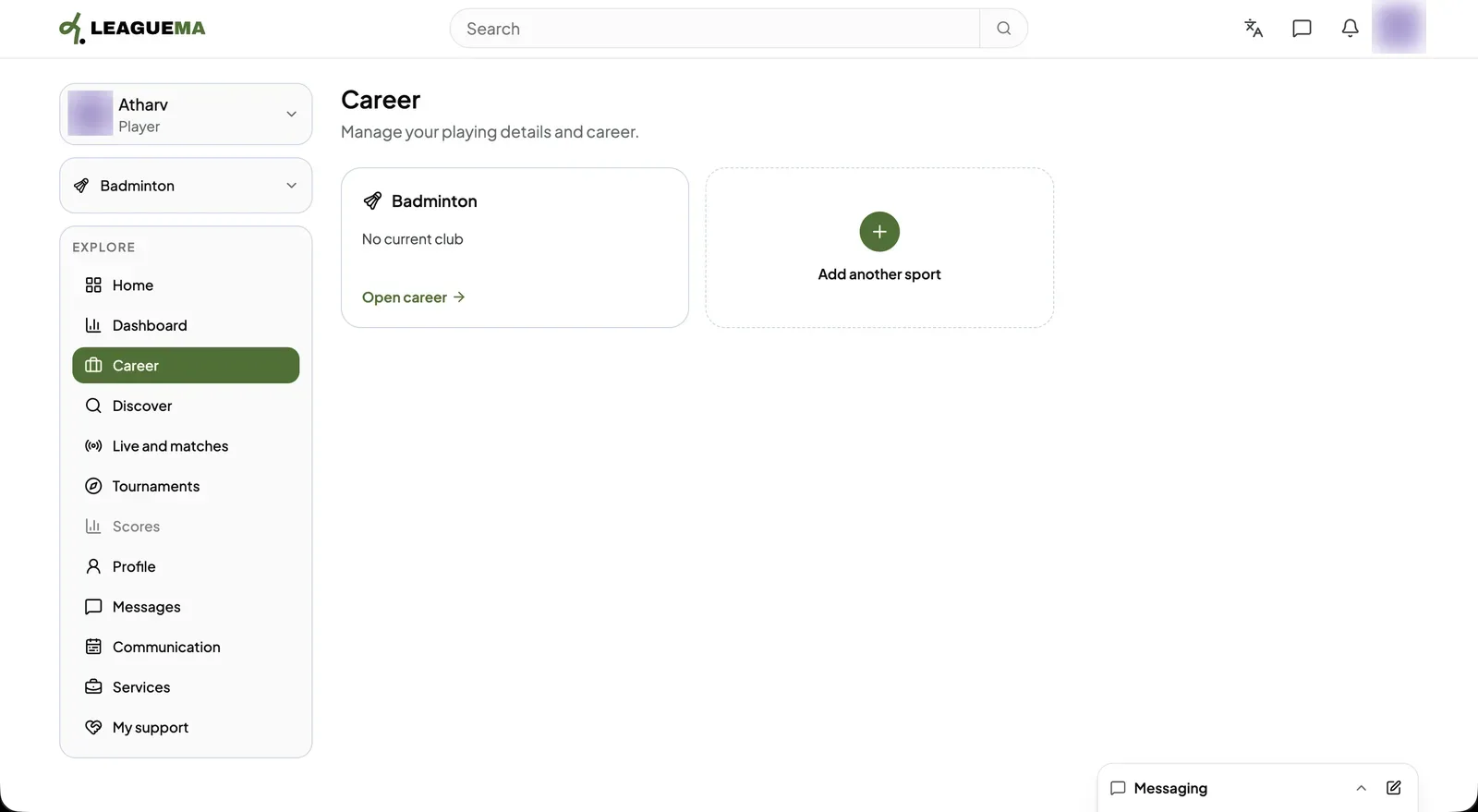
1. Starting player onboarding Select the profile picture at the top right, then “I'm a player”.2. Selecting the sports played Under “What sports do you play?”, select one or more sports and click “Next”.3. Answering the questions for each sport Each sport has up to five questions, such as the discipline. The progress bar shows the current step. Click “Next” to continue or “Back” to return.4. Continuing through the sport's steps Further questions depend on the sport, for example the playing hand.5. Indicating a club Under “Are you playing for a club?”, search for the club by name, city or country, or click “I don't play for a club”. Click “Finish” followed by the sport name to complete the sport.6. Reviewing your sports The “Your sports” screen marks completed sports with a check. Open an unfinished sport to complete it, or click “Add another sport”. Then, click “Done”.7. Automatic redirect The application returns to the Dashboard, or to Career when onboarding was started from Career. Career lists each sport with its current club.