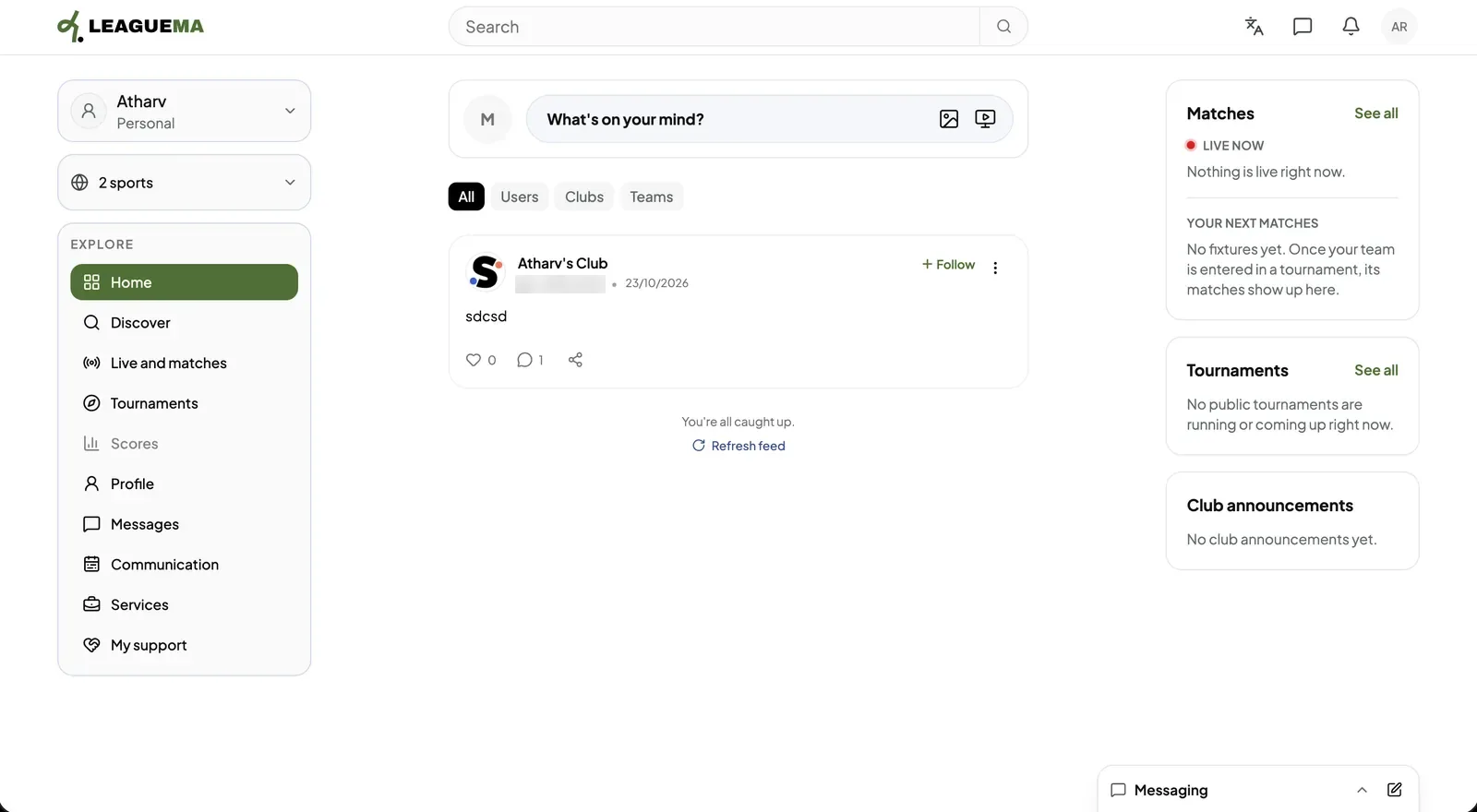
Home is the page LeagueMa opens after you sign in. It shows posts from the people, clubs and teams you follow, a box for writing a post, and a summary of matches, tournaments and club communications. You use it to keep up with everything in one place.
Using the feed
1. Filtering the feed Click “All”, “Users”, “Clubs” or “Teams” above the posts to limit the feed to one kind of author. If you would like to follow an author, click “Follow” on their post.2. Writing a post Click “What's on your mind?” to write a post. The icons beside it attach a photo or a video. Posting requires a verified email address.3. Reviewing the side panels The right column lists live and upcoming matches, tournaments and the latest club announcements. Click “See all” to open the full list.